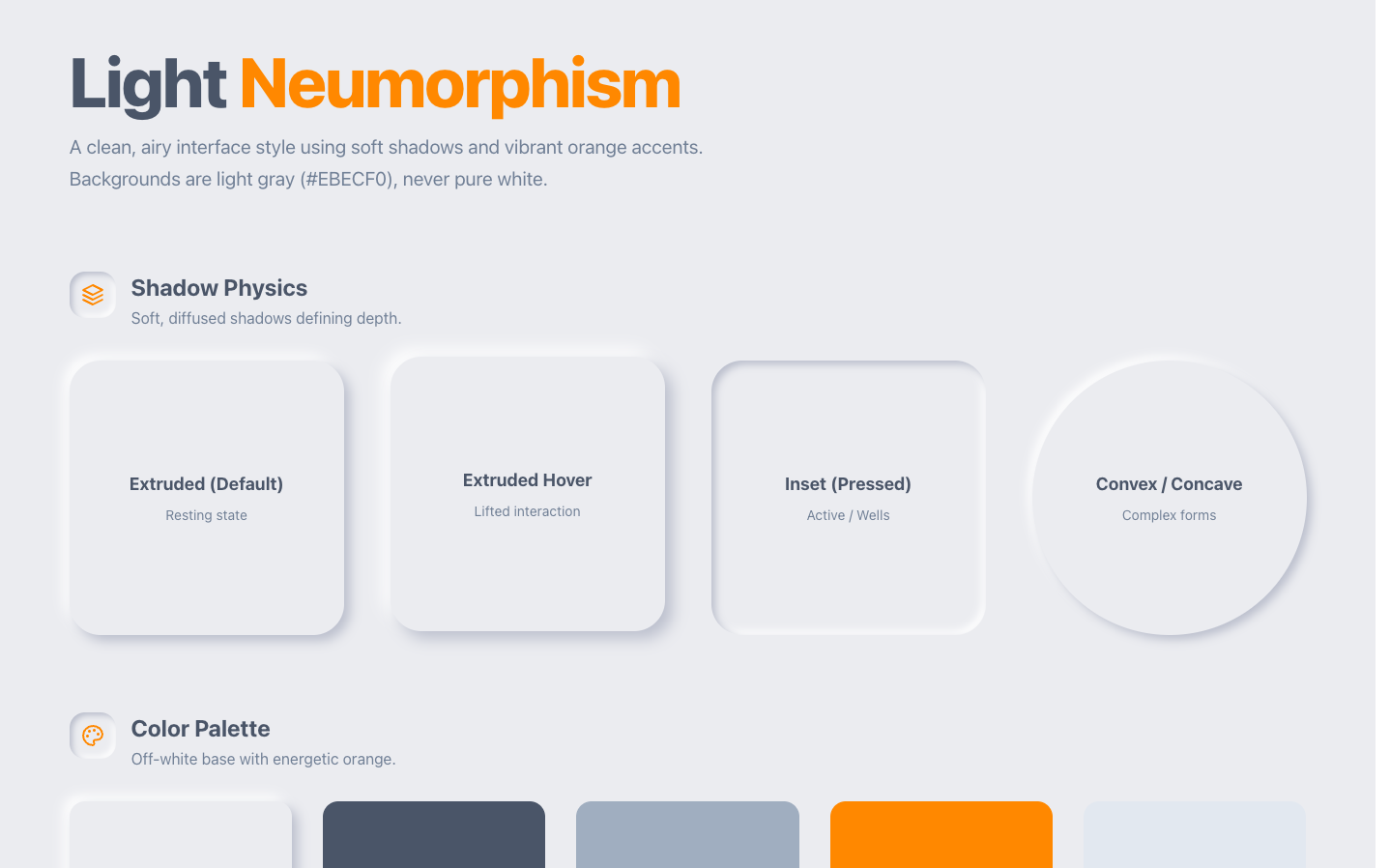
DESIGN.md is a plain-text markdown file that describes your product's visual identity (colors, typography, spacing, shapes, component rules) in a structure an AI coding agent can read and follow. The point is simple: instead of re-explaining your brand in every prompt, you pin it once in a file your agent reads on every generation, so the UI it produces comes out on-brand by default. It started inside Google Stitch, and in April 2026 Google open-sourced the format under Apache 2.0 so it could work across tools.
If you've been using CLAUDE.md to steer how your coding agent behaves, DESIGN.md is the sibling that steers how your product looks. This guide covers what's actually in the file, how it relates to the wider instruction-file trend, where it breaks (the part the hype posts skip), and how to get one for a codebase you already have without writing it by hand.
A DESIGN.md pins your visual tokens, but it doesn't solve the other half of on-brand generation: the prompting and the patterns that actually make a screen look good. That's why the fastest path is to pair a derived design-system file with a context source for your prompts. Superdesign gives you both for free: a community prompt library (one of the largest, covering styles, animations, and components, and it works with any coding agent) plus a skill that reads your repo and derives the design-system file for you. We go deep on both below.

What is DESIGN.md in one sentence?
DESIGN.md is an open, markdown-based config file that gives an AI agent a persistent, structured understanding of your visual identity, so it generates UI that matches your brand without you re-describing it each time. It pairs machine-readable design tokens (YAML: exact color values, type scale, spacing, radii) with human-readable prose that explains the why behind those choices. Google Labs publishes the spec in the google-labs-code/design.md repo, marked alpha and Apache 2.0 licensed.
The mental model that lands best with developers: it's tsconfig.json for your design system. A single source of truth, in plain text, that lives in your repo and changes through pull requests. Any tool that can read the file (Claude Code, Cursor, v0, Lovable, Figma Make) is meant to honor the same visual rules, which is the whole appeal: write it once, reuse it everywhere.
What is a DESIGN.md file used for?
It's used to keep AI-generated UI consistent across an entire project without manual policing. When you prompt an agent for "a settings page" or "a pricing section," it has no opinion about your brand unless you give it one. Left to its defaults, every generation drifts: a different blue here, a different button radius there, inconsistent spacing everywhere. DESIGN.md is the persistent context that anchors all of it, so the agent reaches for your primary color and your type scale instead of inventing generic ones.
Three concrete jobs it does well:
- Stops the per-prompt repetition. You no longer paste "use #4F46E5 for primary, 8px radius, Inter for headings" into every request. The file is the standing brief.
- Versions your design decisions in Git. Because it's plain text, a palette change or a new spacing scale shows up as a diff in a pull request, reviewable like any code change.
- Travels with the project. New teammate, new agent, or a fresh chat session: the visual context is in the repo, not trapped in someone's prompt history.
Is DESIGN.md from Google?
Yes, the format originated at Google. It came out of Google Stitch (the AI design tool formerly known as Galileo AI), where it was the artifact Stitch used to describe a design system to itself. In April 2026 Google announced on The Keyword blog that it was open-sourcing the DESIGN.md format under Apache 2.0, explicitly so other tools could read and write it, with WCAG-aware tokens that let agents "know exactly what a color is for."
Two honest caveats here. First, Google publishes the spec but doesn't own how you use it: the value is that it's portable, not that it's a Google product you adopt. Second, the spec is still alpha. The official repo flags the format as under active development and expected to change, so anything you write today may need updating as the schema evolves. Treat it as a fast-moving open standard, not a frozen one.
What is the difference between DESIGN.md and CLAUDE.md?
They're siblings, not competitors. CLAUDE.md (and the tool-agnostic AGENTS.md) tell an agent how to behave and build: your conventions, your commands, your architecture, what to do and what to avoid. DESIGN.md tells an agent what the product should look like: your colors, type, spacing, and visual rules. They stack. A well-set-up repo can have both, and a good agent reads both before it writes a line of UI.
Here's the full map of the instruction-file trend, because most explainers cover one file and skip the rest:
| File | Answers | Scope | Typical contents |
|---|---|---|---|
| CLAUDE.md | How should Claude behave in this repo? | Claude Code | Conventions, build/test commands, architecture notes, do/don't |
| AGENTS.md | How should any agent behave here? | Tool-agnostic | The same behavior context, in a vendor-neutral file |
| DESIGN.md | What should the product look like? | Tool-agnostic | YAML design tokens + prose rationale + do's and don'ts |
| design tokens / Figma variables | What are the exact values? | Design tooling | Raw token values, no rationale, no agent instructions |
The clean way to think about it: AGENTS.md and CLAUDE.md are about engineering behavior; DESIGN.md is about visual behavior. If you've already written a CLAUDE.md to make your agent build the way your team builds, DESIGN.md is the same idea pointed at how your team designs. They don't overlap, and you'll usually want more than one.
How is DESIGN.md different from a PRD or design tokens?
A PRD describes what to build and why in prose; DESIGN.md describes how it should look in a structure an agent can parse. A PRD is for humans deciding scope; DESIGN.md is for an agent generating on-brand UI. They sit at different layers and don't replace each other.
Design tokens and Figma variables are the closest relatives, and the difference is the prose layer. Tokens are just values: primary = #4F46E5. DESIGN.md wraps those values with the rationale ("indigo primary for trust and focus, reserved for primary actions only") plus do's and don'ts that an agent can actually apply. The official CLI can even export DESIGN.md tokens to Tailwind v3/v4 and the W3C DTCG format, so it sits next to your existing token pipeline rather than competing with it. If you already maintain Figma variables, think of DESIGN.md as the agent-readable narration on top, not a replacement for the variables themselves.
What goes inside a DESIGN.md file?
A DESIGN.md follows a canonical section order: an Overview, then Colors, Typography, Layout, Elevation and Depth, Shapes, Components, and a Do's and Don'ts list. The tokens live as YAML (machine-readable, exact values); the rationale lives as markdown prose (human-readable, the why). That two-layer structure is the whole design: precise enough for a machine to apply, expressive enough to carry taste.
Here's a trimmed, realistic example so you can see the actual artifact every other explainer only describes:
---
# DESIGN.md: machine-readable tokens (YAML front matter)
name: "Aurora"
colors:
  primary: "#4F46E5"      # indigo, primary actions only
  surface: "#0B0F1A"      # near-black app background
  text: "#E7EAF3"         # body text on dark surfaces
  success: "#22C55E"
  danger: "#EF4444"
typography:
  font_family: "Inter, system-ui, sans-serif"
  scale: { h1: 32, h2: 24, body: 16, caption: 13 }
  weight: { heading: 600, body: 400 }
spacing:
  base: 4                 # 4px grid; use multiples only
  scale: [4, 8, 12, 16, 24, 32, 48]
rounded: { sm: 6, md: 10, lg: 16, pill: 999 }
---

## Overview
Aurora is a focused, calm dark-first product UI. It should feel
engineered, not decorative: lots of breathing room, one accent color,
no gradients on functional surfaces.

## Colors
Indigo (`primary`) is reserved for the single most important action on
a screen. Never use it for body links or decorative fills. Keep text at
`text` on `surface` for AA contrast.

## Do's and Don'ts
- Do: stick to the 4px spacing grid for every gap and padding value.
- Do: use `rounded.md` (10px) as the default radius for cards and inputs.
- Don't: introduce new colors outside this palette.
- Don't: mix font weights below 400 or above 600.
That's the shape of it. The YAML pins the exact values so the agent can't drift on them; the prose and the do's/don'ts carry the judgment that raw tokens can't express. The official spec also ships a CLI that can lint the file for structure and WCAG contrast, diff token versions, and export to other formats.
Can AI agents actually follow a DESIGN.md file reliably?
Honestly: mostly, but not perfectly, and this is the part the promotional posts gloss over. DESIGN.md is best understood as a brief, not a contract. Agents reliably pick up the hard tokens (the exact hex values, the type scale, the radii), but they drift on application: how to compose a layout, when a rule should bend, how to handle a component the file never mentioned. The most honest practitioner writeup, from Roger Wong, frames it well: "pin down the tokens, leave the application loose, refine the file as the agent surfaces edge cases." His framing is that you write a DESIGN.md like a brief and keep editing it, treating it as a living artifact rather than a requirements doc.
A few real limitations worth setting expectations around:
- It's alpha and expected to change. The official spec repo marks the format as under active development, so teams adopting it now should expect some churn.
- Top guides skip the failure modes. One review of the format notes there's no real guidance for when DESIGN.md conflicts with an agent's defaults, or for migrating an existing design system into the file.
- The tooling reality is rougher than the spec promise. Stitch, where the format originated, drew hands-on criticism on Hacker News for ignoring follow-up prompts, weak page-structure semantics, and "really bad accessibility". A file that documents WCAG-aware tokens doesn't, on its own, guarantee accessible output: the lint validates contrast ratios in the file, but it can't enforce that the agent actually ships accessible markup. If those rough edges push you to look around, we ranked the Google Stitch alternatives for developers.
- The format space is fragmenting. DESIGN.md now coexists with alternatives like designtoken.md and the broader AGENTS.md standard, plus tool-locked extractors like Claude Design that produce a static snapshot tied to one ecosystem. One comparison frames it cleanly: Claude Design auto-extracts a system but locks it to one tool, while DESIGN.md is the portable, version-controlled source of truth. "Write it once, use everywhere" is the aspiration; it isn't fully settled yet.
None of this means skip it. It means treat the file as something you tune over a few iterations, not a magic spell you cast once. The win is real: a good DESIGN.md makes every generation start mostly on-brand instead of from scratch, and you close the remaining gap by refining the file, which is far less work than re-briefing your brand in every prompt.
How do you create a DESIGN.md for an existing codebase?
This is the question nobody answers well. Most guides assume you either hand-write the file or copy a brand template from a registry like awesome-design-md (a collection of 73 ready-made DESIGN.md files lifted from real brands). That's fine for a greenfield project. But on a real codebase you already have a design system: it's just spread across your components, your Tailwind config, and your CSS variables. Reverse-engineering all of that into a clean DESIGN.md by hand is the actual hard part, and it's exactly where most workflows leave you stuck.
This is the gap Superdesign was built to close. Superdesign is an AI product design agent that generates UI on an infinite canvas and outputs real React and Tailwind code, not static mockups. Its most developer-native path is a skill you add to your coding agent (Claude Code, Cursor, or any agent). When you invoke it on an existing project, the first thing it does is read your real repo and derive a design-system file that captures your current visual language, the practical analog of authoring a DESIGN.md, except it's reading your actual code instead of asking you to transcribe it.
That's the part that matters for this topic. A DESIGN.md is only useful if it (a) matches the product you actually have and (b) feeds back into real code. Most of the category stops at storing the file. Superdesign closes the loop: derive the design-system context from your repo, explore variants on the canvas, then hand back production React and Tailwind your agent can implement. To be fair about scope: Superdesign didn't invent and doesn't own the DESIGN.md spec (that's Google Labs), and it's its own design agent rather than a DESIGN.md authoring tool per se. But the workflow it runs (read the codebase, pin the visual language, generate on-brand code) is the loop the DESIGN.md idea is reaching for.
You can install the skill in a couple of minutes:
npm install -g @superdesign/cli@latest
superdesign login
npx skills add superdesigndev/superdesign-skill
Then trigger it with the /superdesign slash command and a plain-English request. The founder's tutorial walks through the whole thing, from install to handing a finished design back to your agent as code:
What about the prompts, not just the tokens?
This is the half of "on-brand AI UI" a DESIGN.md alone doesn't fix. The file pins your values, but a screen still looks generic if the prompt behind it is generic. As the Superdesign team puts it, models output AI slop "not from lack of capability but lack of context and guidance." A token file is the context; the prompt is the guidance. You need both.
That's the gap a prompt library fills. Superdesign's community prompt library is one of the largest going, covering styles, animations, and full UI components, and the prompts are tested rather than guesses. It's free, and because the prompts are just text, they work with any coding agent: paste one into Claude Code, Cursor, v0, or Lovable next to your DESIGN.md and you've supplied both halves at once. That's a real contrast with the metered-credit tools where every "give me ten variations to compare" prompt eats into a quota.
The pairing is the point. DESIGN.md keeps the agent reaching for your colors and type; a strong prompt from the library keeps the layout and feel out of generic-AI territory. Pin the tokens, lean on a proven prompt for the application, and refine the file as edge cases surface.
How do you use DESIGN.md across different AI tools?
Because DESIGN.md is just a markdown file in your repo, most agents will read it if you point them at it. With Claude Code or Cursor you reference the file in your prompt (or in your CLAUDE.md / AGENTS.md) so the agent loads it as context before generating UI. Browser-only tools like v0 and Lovable can't read your repo directly, but you can paste the DESIGN.md content in as a brief. Portability is the design goal, though as noted above it's still aspirational rather than guaranteed: different tools weight the file differently, and none follow it perfectly.
A pragmatic setup that works today:
- Keep DESIGN.md in your repo root (or a
design/folder), version-controlled like any config. - Reference it from your agent's instruction file so it loads on every session, not just when you remember to mention it.
- Pair it with a tool that actually reads your codebase if you want the on-brand-code loop closed, rather than just storing the file and hoping. That's where a codebase-aware design agent earns its keep.
If you're choosing the design layer for an AI-driven workflow, it's worth seeing how the codebase-aware approach compares to the browser-only generators. We break that down in our guide to the best AI UI generator for developers, and in head-to-heads like v0 vs Superdesign and Lovable vs Superdesign. For the broader picture of how these pieces fit together, see the 2026 AI design stack.
Where does DESIGN.md fit in your AI design stack?
DESIGN.md is the visual-rules layer: the thin, portable config that keeps every AI generation on-brand. Above it sits your agent's behavior layer (CLAUDE.md / AGENTS.md), and below it sit your raw tokens (Tailwind config, Figma variables). The file is genuinely useful, but it's one piece of a loop, not the whole thing. Its value shows up only when something reads it, generates from it, and lets you refine it as edge cases surface.
So the honest takeaway: adopt DESIGN.md (or a derived design-system file) to stop re-briefing your brand on every prompt, pair it with proven prompts so the application doesn't drift into generic territory, and pick tooling that closes the loop from config to on-brand code. Expect to tune the file a few times before it sticks. The free prompt library is the companion for the prompting half, whatever design config you settle on.