UX Pilot is a genuinely strong AI design tool for one job real users keep confirming: turning a prompt or PRD into high-fidelity, Figma-editable UI in seconds. The praise is real ("the output quality is consistently good"). The dominant complaint across the last year is its credit-and-billing model: credit-heavy modes on by default, no refunds, charges users dispute, and a Trustpilot rating currently suppressed for a guidelines breach. Great for designers in Figma; read the terms before you put a card in. Below: every claim backed by a named source and a link.

What is UX Pilot, and who is it for?
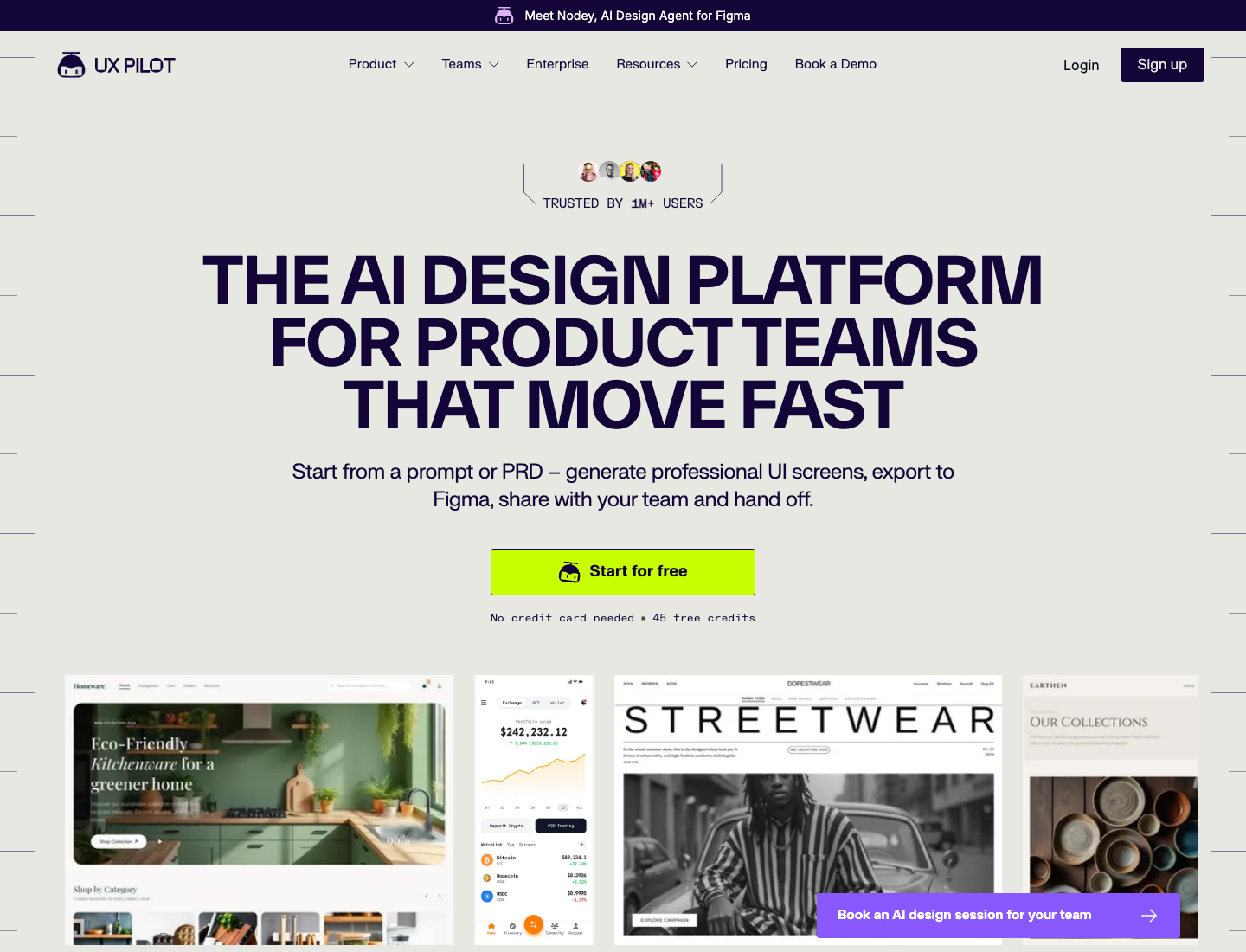
UX Pilot (uxpilot.ai) is an AI design tool that turns prompts, sketches, or a PRD into low-to-high-fidelity wireframes and screens. It has a two-way Figma plugin (generate in the web app, retrieve into Figma) and code export, and it now bundles a Figma-native design agent it calls Nodey. It markets itself as "TRUSTED BY 1M+ USERS," which is UX Pilot's own marketing claim, not an independently verified figure.
| Review facts | |
|---|---|
| Product | UX Pilot (uxpilot.ai), with a Figma plugin and the Nodey agent |
| Maker | UX Pilot |
| Output | Hi-fi screens and wireframes, two-way Figma round-trip, HTML/CSS code export |
| Pricing model | Subscription plus metered credits (no rollover) |
| Sources reviewed | Trustpilot, Hacker News, a Medium hands-on review, the official pricing page |
| Facts as of | June 14, 2026 |
One honest disclosure about sources: G2 and Capterra were Cloudflare-gated from where we checked, and we did not quote what we could not read in full. This review compiles Trustpilot, Hacker News, a Medium hands-on review, and UX Pilot's own pricing page.
What do users actually say about UX Pilot?
The honest split: users love it as a fast first draft and Figma companion, and the same review pages fill with billing pain.
The positive cluster (designer-in-Figma). On hi-fi output versus Figma Make: "In my opinion it works much better than Figma make. Creates better HI FI design and reads components correctly. Also, understands prompts better." (Kate, Trustpilot). A real production use: "you have to be specific in your prompts and that requires prompt engineering experience to get the best outcomes but overall it's very easy to use. I've used it to build a real project going into production for a real company with this tool." (Faisal Feroze, Trustpilot). And the upgrade-was-worth-it take: "after upgrading, I can confidently say it was well worth the decision. I was genuinely impressed by how AI can automatically generate UI designs and user flows with such precision and quality." (Melvin Ballesteros, Trustpilot). Plus shorter praise: "Very good product with a real agentic behaviour. Generates professional like designs at a fraction of the cost." (Bijit Deka, Trustpilot); "I've tried several other UI/UX design programs and nothing comes close to what UX Pilot has accomplished for me! Very easy to use too!" (Rob Rachlin, Trustpilot); "Fantastic system, creates good designs, and wireframes turn out well overall. I recommend using it." (Rico, Trustpilot).
The negative cluster (billing and reliability). On stability and credit waste: "The biggest problem is stability. ... when I later try to reopen those same folders, the editor either gets stuck loading indefinitely, crashes, or becomes completely inaccessible. ... What makes this even more frustrating is that credits continue to be consumed while projects remain inaccessible." (TSES LTD, Trustpilot). On paid credits locked behind an upgrade: "Although I have credit in my account, I'm unable to use it because, despite having paid for the credit, I need to subscribe to an upgraded plan to access it." (Ainal Haq, Trustpilot). And on reliability: "Sometimes it amazes me with what it can accomplish, but at least 50% of the time it amazes me with how bad it is.. just really tough to depend on it as an everyday tool unfortunately." (Andrew OKane, Trustpilot).
How much does UX Pilot cost in 2026?
There is a free tier (45 one-time credits, up to 7 screens), then Standard, Pro, Teams, and a custom Enterprise plan, billed via Stripe with a yearly discount UX Pilot frames as up to 2 months free. On the live plans page (read June 14, 2026), yearly billing reads: Standard $14/month, Pro $22/month (marked POPULAR), Teams $31/user/month, all "Billed annually through Stripe." Switch to the monthly toggle and it reads Standard $19/month, Pro $29/month, Teams $39/user/month. Some third-party reviews still cite an older $12 Standard figure; we cite the live page as canonical and date-stamp it.
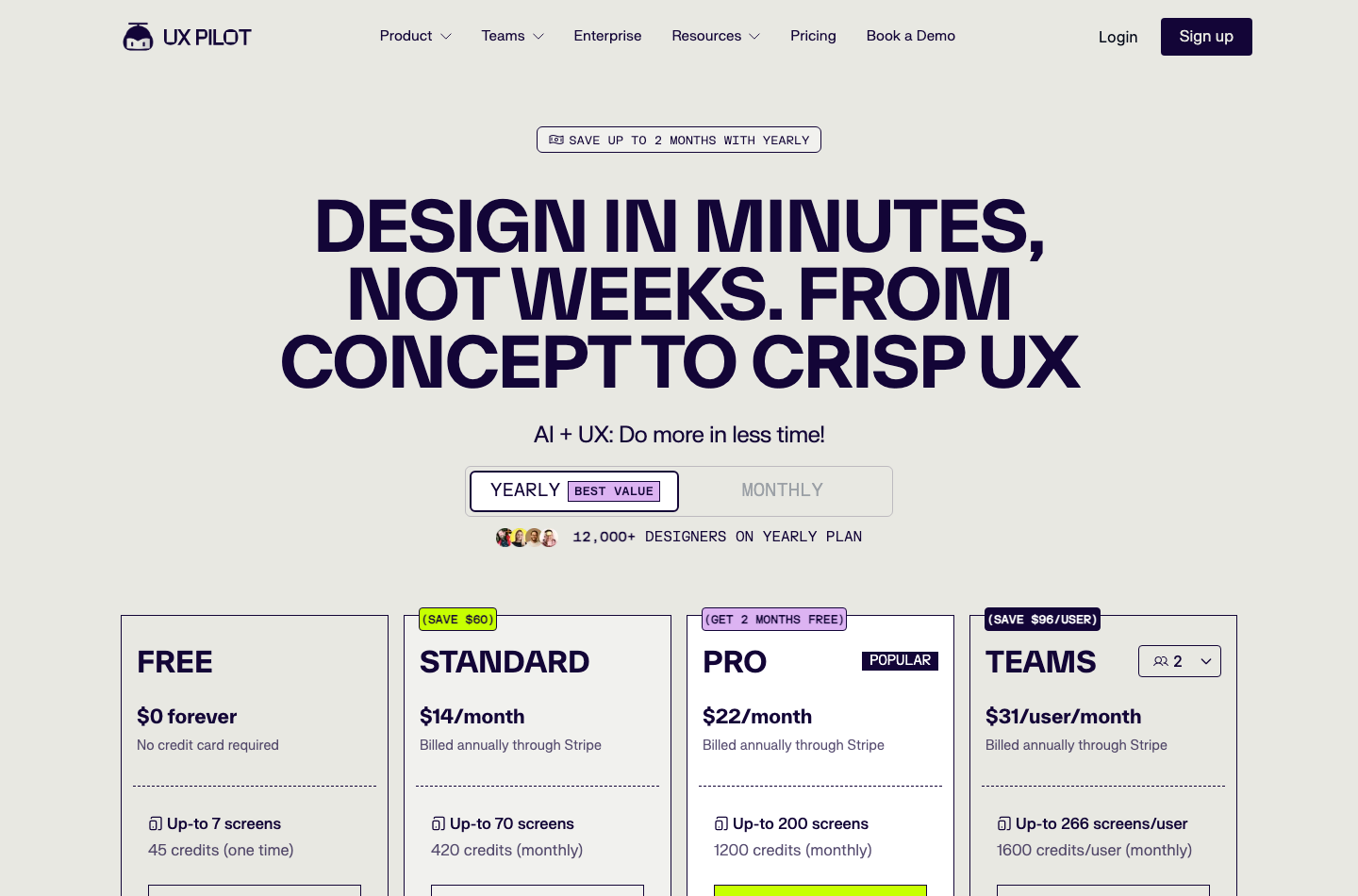
Credits and screen limits, verbatim from each card: Free is 45 credits one time (up to 7 screens), Standard is 420 credits/month (up to 70 screens), Pro is 1,200 credits/month (up to 200 screens), and Teams is 1,600 credits/user/month (up to 266 screens/user).
The part that actually bites, sourced: credits do not roll over, and a Medium hands-on reviewer documented default-on credit-heavy modes: "While generating more screens, I noticed something cheeky. "Deep Design" and "Max" were turned on by default. Each screen was costing me 12 to 18 credits instead of 6. I had unknowingly burned through credits very quickly. (Dark pattern 101)" (Design Bootcamp hands-on review, Medium).
What is UX Pilot genuinely good at?
High-fidelity, on-brand-ish output that lands in Figma, fast, for designers who live in Figma. Kate and Faisal Feroze above (better hi-fi than Figma Make; a real production project) are the most credible, most repeated positive signal. The plans page also markets genuine workflow strengths the reviews back up: it can explore "4 looks at once," ships a fast "Blitz" generation model, and has a two-way Figma connection ("Retrieve in Figma") plus GitHub code sync. UX Pilot is not a toy, and the designer-workflow praise is the honest counterweight to the billing complaints below.
Where does UX Pilot fall short?
The credit economics and the billing experience, plus Figma-export fragility and reliability at scale. Four documented weaknesses, each with a named source.
Credit drain you do not control. A developer on Hacker News: "I have this problem with UX Pilot or Stitch for wireframes ... It takes so many prompts to get the model to do what I want, what's the point? UXP costs money, you still pay for the many iterations where it's their product that did a poor job." (port11, Hacker News), plus the default-on-modes finding above.
Billing and refund disputes. "I was charged a full yearly fee, then needed to change my email and they refused to move the account or provide any refund. ... today I was charged AGAIN a full yearly fee of $379.71 depsite all my emails advising them to close my accounts." (Clinton Sutherland, Trustpilot). "No Refunds. I wanted to try it out for a month ended up with 1 year ... do not recommend stay away what company doesnt offer refunds." (Jeffrey Redman, Trustpilot). "I was charged EUR 19 for a billing cycle while my account was on the Free Plan. ... As a final step, I initiated a transaction dispute through my bank, after which a refund was processed within an hour." (Dmytro Kostenko, Trustpilot). "Garbage! Paid 19 bucks from day 11 Tried to upload images of my design to use as a guide to build, and then I was told I needed to upgrade to a PREMIUM subscription or buy credits!" (JZulu the real JZ, Trustpilot). (We preserve these reviews' spelling exactly as written.)
Reliability at scale. "Not production ready!!! we worked on design for several days just to discover it all disappear. ... if you need to actually deliver some work - go back to Figma. NOT PRODUCTION READY!!!!" (Oren Aglamaz, Trustpilot). And on Figma round-trip fragility: "There are lots of erros if I use it in Figma and frames are lost, because of errors. I return to create my designs for my apps in Figma manual again." (Tobias Schorr, Trustpilot). A third-party review corroborates Figma-export issues (long pages truncated, nested components break, auto-layout becomes illogical) as common problems (uxmagic's UX Pilot review).
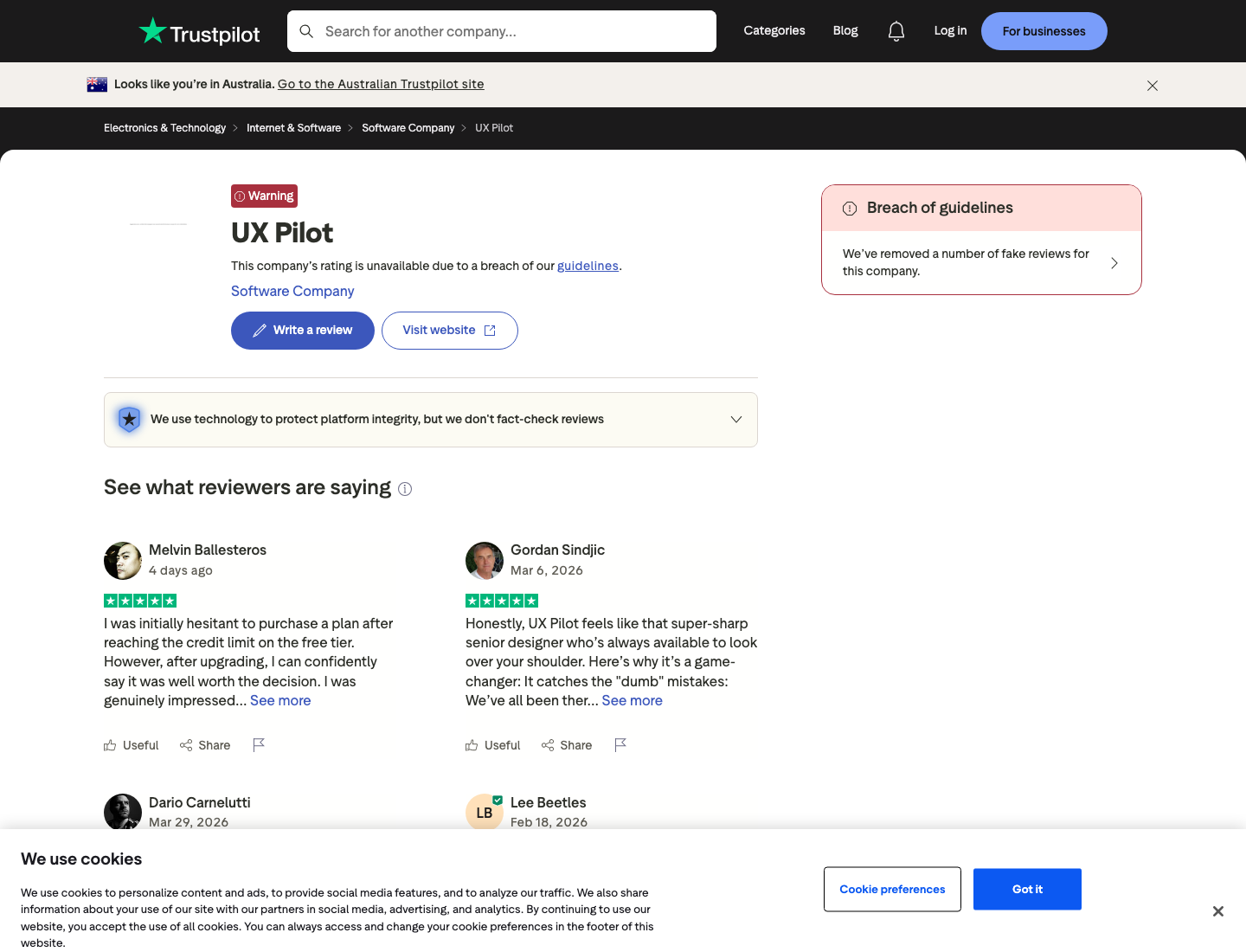
The trust signal itself. Trustpilot currently shows "This company's rating is unavailable due to a breach of our guidelines" and notes "We've removed a number of fake reviews for this company," with a 1-star share around 20 percent across 184 reviews (UX Pilot on Trustpilot). We report that as Trustpilot's stated status, not as an accusation.
Who should use UX Pilot, and who should look elsewhere?
Use it if you are a designer who lives in Figma and wants fast hi-fi drafts to refine; look elsewhere if you need clean code handoff to a real repo, production reliability, or predictable per-iteration cost.
Great fit: Figma-native designers, PMs and founders who want a credible first draft fast, and anyone comfortable with prompt engineering who watches their credit modes.
You will hit the ceilings if you iterate hard (credits punish exactly that, and modes default on), you need React components in your codebase rather than a Figma round-trip, you need production stability across many screens, or you want refund safety. For the wider tool landscape, see our best AI UI generator roundup (UX Pilot has a slot there), our AI wireframe generator guide, and the Figma alternative and Uizard alternative pages.
How does Superdesign fit alongside UX Pilot?
We build Superdesign, so judge this paragraph accordingly. UX Pilot is a designer-in-Figma tool: its strength is hi-fi output you refine inside Figma. Superdesign is a design-first agent on an infinite canvas that forks multiple directions in parallel, which is the direct answer to the "too many prompts, paid each time" complaint (port11) and the default-on credit-burn finding: explore a tree of directions instead of re-rolling one.
And it ships as a skill inside Claude Code or Cursor, so the agent that designs is the one that already knows your codebase and writes the React and Tailwind, the gap for developers who hit UX Pilot's Figma-only, code-handoff ceiling. To be fair to UX Pilot: if you live in Figma and want hi-fi screens to refine there, it is genuinely good at that. Our free prompt library works alongside any tool, including UX Pilot. For more compiled reviews in this series, see our v0 review and Google Stitch review.
The verdict: is UX Pilot worth it in 2026?
Yes for the designer it was built for, with eyes open on billing. If you are a Figma-native designer who wants fast hi-fi drafts and you watch your credit modes, UX Pilot earns its place, and the output praise is real and repeated.
If you iterate heavily, need code in your repo, need production reliability, or want refund safety, the last year of public reviews says you will feel the meter and the billing friction before you feel the magic: default-on credit-heavy modes, no rollover, refund disputes resolved only via chargebacks, and a Trustpilot rating currently suppressed for a guidelines breach. Know which user you are before you put a card in.