Google Stitch is the best free first-draft UI tool you can get right now, and real users mostly agree, with one big asterisk. Builders love that it goes from prompt to a multi-screen, Figma-exportable design in about a minute, hooks into coding agents over MCP, and costs nothing. The same users say the output still looks AI-generated, you can't fine-tune anything without re-prompting, and the daily credit caps have no paid escape hatch because there is no paid plan at all. Use it to start designs, not to finish them. Below: every claim backed by a named user and a link.

What is Google Stitch, and what happened to Galileo AI?
Google Stitch is Galileo AI, grown up. Galileo AI was acquired by Google, and the team launched Stitch as the next generation of the product, powered by Gemini, announced at Google I/O in May 2025. Co-founder Arnaud Benard broke the news himself: "Galileo AI has been acquired by @Google... We launched today the next generation of our product, powered by Gemini: Stitch" (@arnaudai, May 20, 2025). If you searched for a Galileo AI review, this is the review: the product lives on as Stitch, free, inside Google Labs.
The timeline since then has been fast:
| Date | What shipped |
|---|---|
| May 2025 | Stitch launches in Google Labs as the next generation of Galileo AI (founder's announcement) |
| March 18, 2026 | Stitch 2.0, the "vibe design" rebuild: an AI-native design canvas, multi-screen generation, clickable prototypes (Google's post, republished March 18, 2026) |
| April 21, 2026 | Google open-sources Stitch's DESIGN.md format (Google's post, HN thread) |
| May 19, 2026 | Real-time design at I/O: voice input, live steering, shareable links via Google AI Studio, export to Google Antigravity, publish to Netlify (Google's post) |
The March release landed hard enough that the press noticed the competition flinch: CNBC reported Figma's stock dropped 11% in the two days after Google released its "vibe design" product (CNBC, March 19, 2026, discussed on HN). That is a reported market reaction, not our claim about causation, but it tells you how seriously the industry took the update.
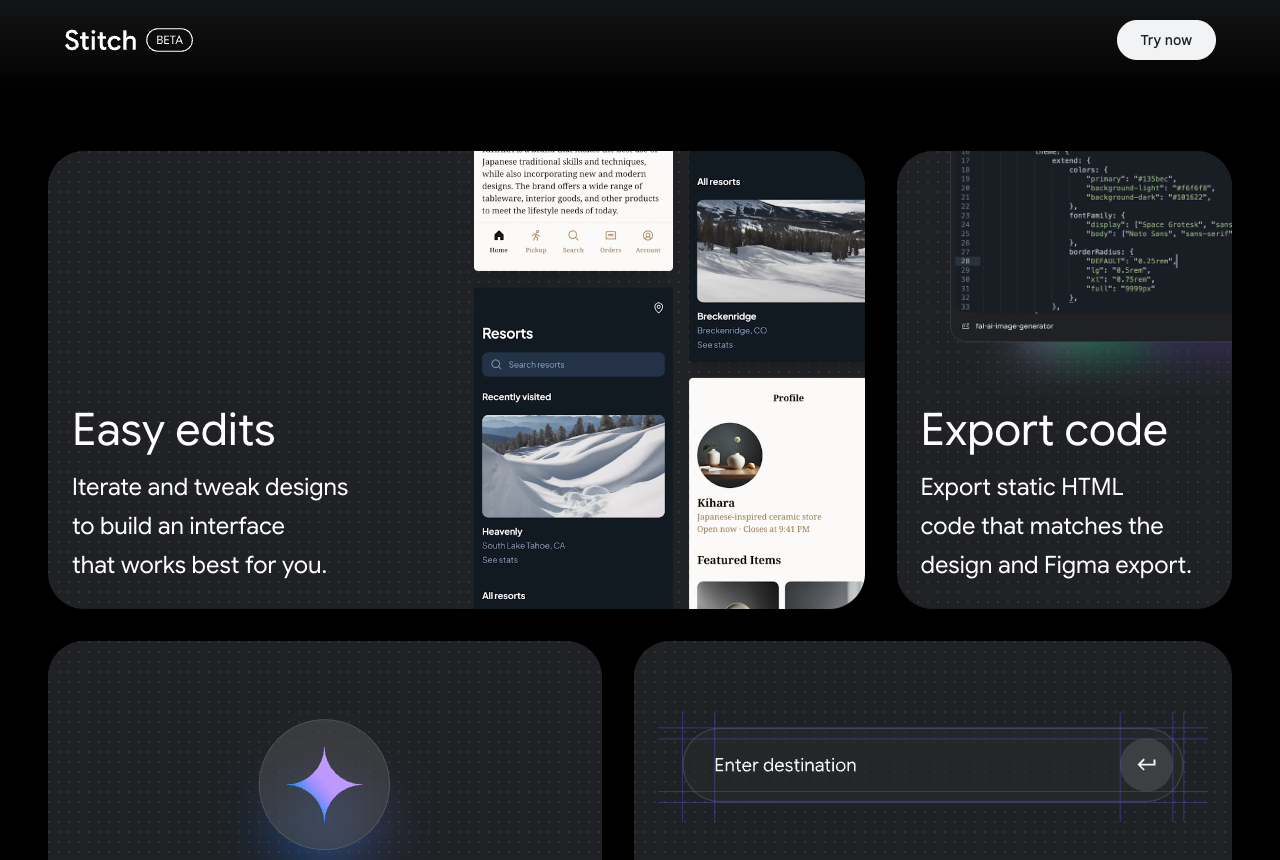
One status note that matters for the whole review: Stitch is still a Google Labs experiment (the logo literally carries a BETA badge), with no SLA and no long-term commitment. We come back to that in the verdict.
What do users actually say about Google Stitch?
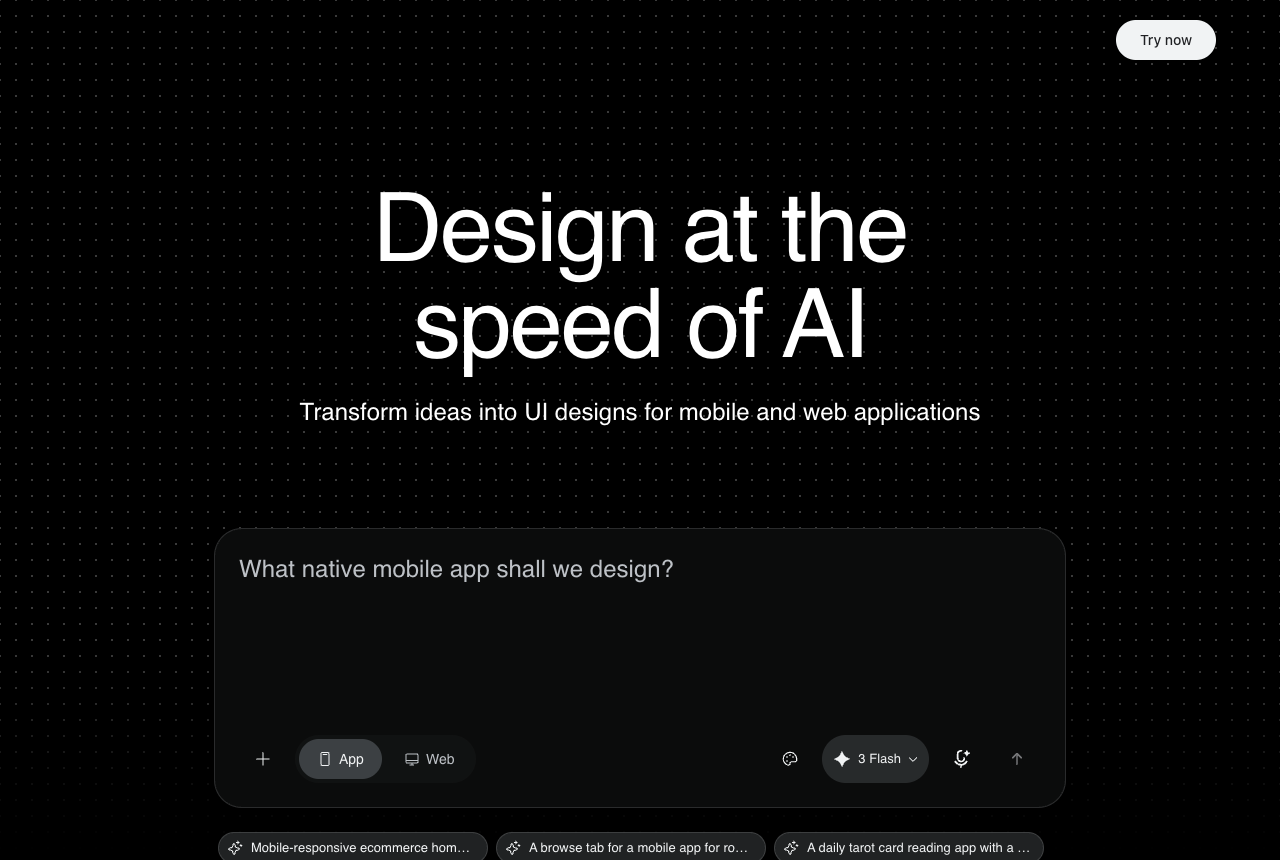
The honest summary: users love Stitch as a starting point and do not trust it as a finisher. Across X, Hacker News, Google's own AI developer forum, and Product Hunt, the same two themes repeat. The love: speed to a credible first draft, multi-screen generation, the free price tag, and the MCP handoff to coding agents. The frustration: output that still reads "AI-looking," no fine-grained editing after generation, daily credit caps with no way to pay for more, and occasional hangs.
On the love side, indie builder Hakan Turinay, who shipped an iOS game solo, put it like this: "For the actual screen design I used Google Stitch to get the first layouts fast, then Claude to refine the system: the colors, the rounded cards, the empty states, the paywall. No week-long Figma marathon. I made design decisions in minutes that normally take days." (@hakanturinay, June 10, 2026)
Even casual mentions are enthusiastic. On Hacker News: "Have you guys tried Stitch with Google? It's amazing. I'm really curious to know how it works in the backend... I noticed that the designs are quite good even though it uses Gemini." (pradeepodela, November 28, 2025)
On the frustration side, the most brutal take comes from a same-prompt test: Kieran of @nocodelife ran the same prompt through Claude Design, Claude Code, Figma Make, and Stitch, ranked Stitch last by a wide margin, and compared its output to a free 2012 WordPress template (@nocodelife, April 22, 2026; the full writeup is an X article behind a login, so we are paraphrasing rather than quoting). A gentler version of the same complaint, from Manas Sharma with a screenshot of his result: "Me 5 mins into an idea / Google Stitch after a detailed prompt / Now I understand why most vibe coded apps look generic" (@ManasCodeXart, June 2, 2026).
And a balanced one that captures the consensus, from a Japanese developer's writeup: "UIデザインの初速はかなり上がる一方で、まだAIっぽいデザインから抜けきれない... たたき台には強い。でも実用UIには人間の編集が必要でした。" Rough translation: first-draft speed goes way up, but it cannot shake the AI-looking design; strong as a starting point, but production UI needed human editing. (@Chicken_Leg777, June 12, 2026)
One honest disclosure about our sources: Reddit has no substantial indexed Stitch threads we could verify, and G2 and Capterra do not list Stitch at all (free Labs products rarely get review-site coverage). So this Google Stitch review compiles X, Hacker News, Google's own forum, and Product Hunt. We did not invent sentiment from platforms we could not check.
How much does Google Stitch cost, and what are the real limits?
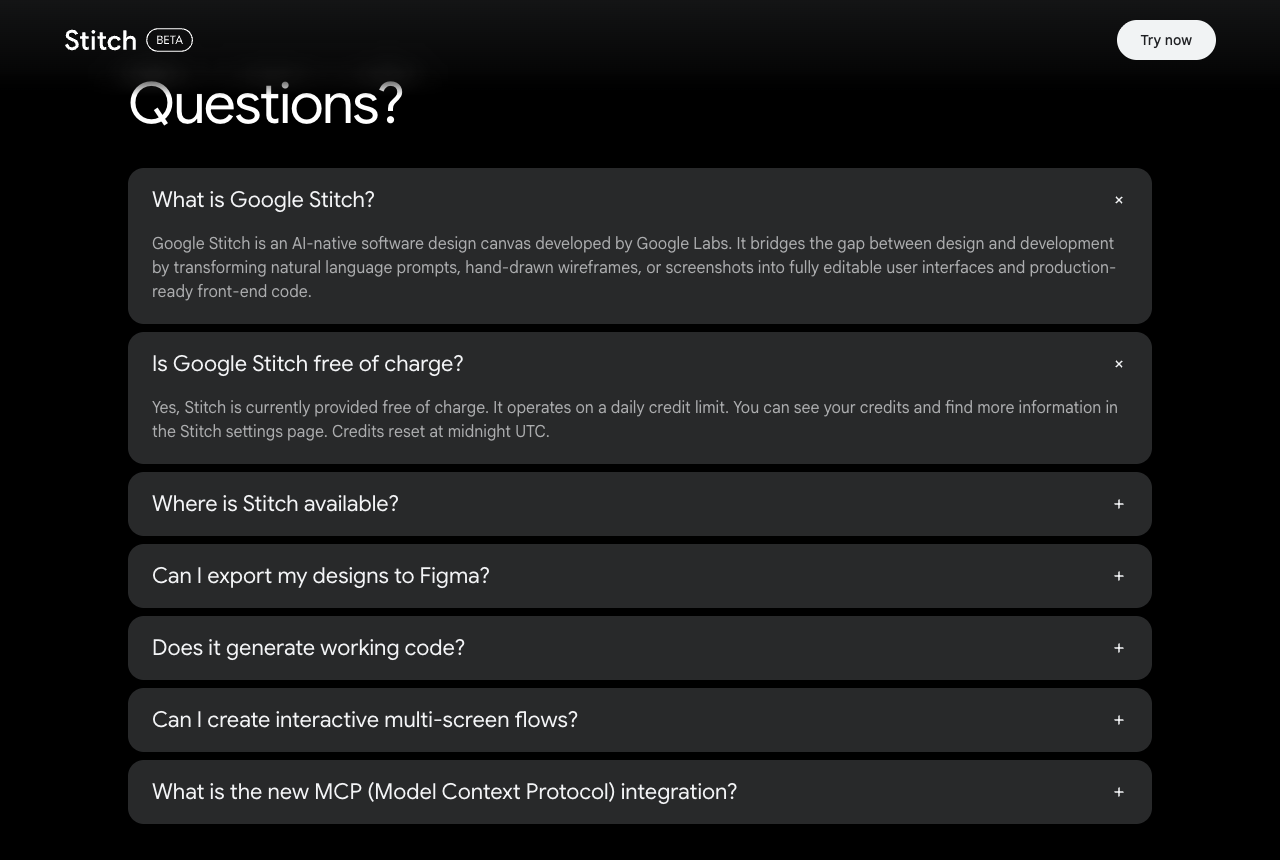
Stitch is completely free, there is no paid tier, and the usage limits are the most user-contested part of the product. Google's own FAQ, checked June 12, 2026, says: "Yes, Stitch is currently provided free of charge. It operates on a daily credit limit. You can see your credits and find more information in the Stitch settings page. Credits reset at midnight UTC."
What Google's FAQ does not say is the number, and the number has been a moving target. The history, with sources:
- In 2025, third parties reported monthly caps: 350 standard plus 200 experimental generations per month (Moda's review, which still carried that figure as of April 4, 2026).
- By December 2025, Google staff described a daily cap on the official forum: "we currently offer 150 design limits per day, and we are actively working to expand our offerings" (RISHABH_CHAUHAN, Google AI dev forum, December 2, 2025).
- The most recent third-party accounting puts it at 400 daily design credits plus 15 daily redesign credits, with complexity-based cost per generation and "no way to buy credits" (Banani's pricing guide, updated May 2026).
We could not verify the current number in-product (the credits readout sits behind Google sign-in, in the Stitch settings page), so treat the exact figures as third-party reports. What is verifiable from Google directly, as of June 12, 2026: the limit is daily, it resets at midnight UTC, and there is no way to pay for more.
That last part is what actually frustrates users, and the thread on Google's own forum is praise and pain in one sentence: "at least in this phase could you offer to put our api key to get more credits? its a really awesome tool and the daily limit is too low for iterating with nano banana" (Jorge_Cardenas_Mayor, February 3, 2026). Google's reply the next day acknowledged the demand without promising anything: "I've noted your request and am adding it to our active feature ticket for more volume" (RISHABH_CHAUHAN, February 4, 2026). The thread started with the simplest question of all: "When we will be getting subscription or how to increase daily limits?" (jahangirxl, November 26, 2025). Six months on, the answer is still: you wait until midnight UTC.
What is Google Stitch good at?
Stitch's superpower is the credible first draft, fast, and the 2026 updates added a second one: the coding-agent handoff. Here is what users consistently praise, in their own words.
Speed from prompt to multi-screen design. The standout Product Hunt review for Stitch 2.0 says it plainly: "I never imagined front-end designs like this were possible. Two years ago, I'd hire Figma designers, and projects would drag on for a month or more. Now, we crank them out in under a minute. Incredible!" (Rohan Chaubey on Product Hunt, where Stitch 2.0 holds 5.0 from 5 reviews, a tiny sample worth weighing accordingly).
Image-first generation quality. Prajwal Tomar, who runs Stitch with Claude Code over MCP, explains why the drafts look better than HTML-first tools: "Claude Code + Stitch 2.0 via MCP is the workflow I've been running for weeks now... and the results are genuinely insane." His reasoning: "It generates images first before any code. That means it's not constrained by what HTML and CSS can do." And on iteration: "Stitch generates multiple variants from that one prompt... You're curating, not just accepting." (@PrajwalTomar_, April 21, 2026)
The MCP handoff to coding agents. This pattern, Stitch designs and your agent builds, shows up everywhere. Kole Sam: "I used Google Stitch to create the interface designs and prototype, prompting it with our brand colors and visual guidelines. Stitch produced a much stronger UI that was closer to what I had envisioned." His workflow: "Design and prototype the UI in Stitch... Have Claude retrieve the designs and write the working code." (@Kole_Sam, June 11, 2026). The same pattern in Chinese, from designer @onorangerock: "我做设计经常用Google stitch,就是这样操作。生成html,检查后让codex在远程完成UI编码。" Translation: uses Stitch for design regularly, generates the HTML, reviews it, then has Codex finish the UI coding remotely. (@onorangerock, June 12, 2026)
A default slot in builders' stacks. When developers post their setups, Stitch increasingly just IS the design slot: "Code editor - VScode / Coding agent - Claude Code + Gemini CLI / Design - Google Stitch / Browser - Brave / Music - YT Music + Spotify" (@devollycodes, June 10, 2026).
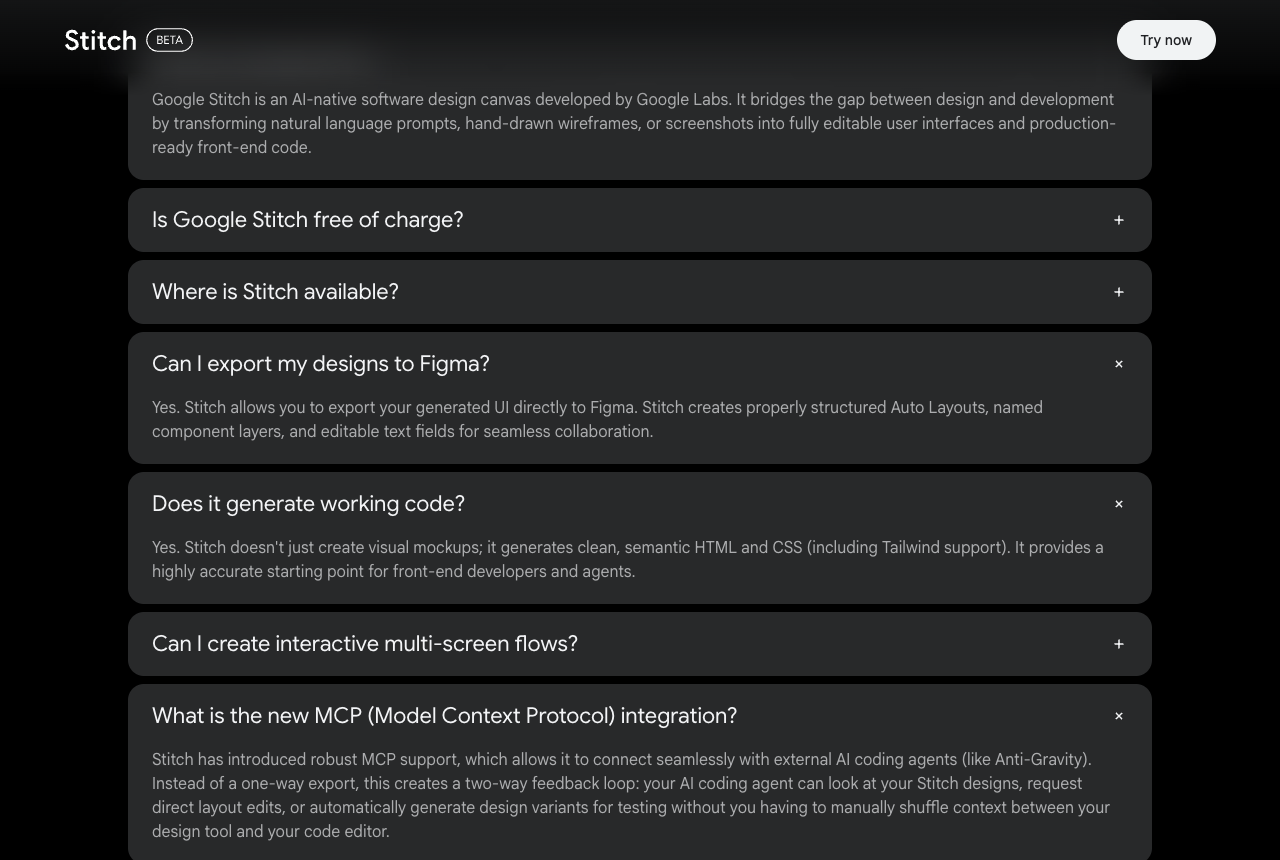
Figma export and a real design-system story. Google's FAQ commits to structured Figma export ("properly structured Auto Layouts, named component layers, and editable text fields"), and the open-sourced DESIGN.md format means the design system Stitch generates is portable rather than locked in. The MCP integration is framed by Google as "a two-way feedback loop" where your coding agent can read designs, request layout edits, and generate variants.
Where does Google Stitch fall short?
The recurring ceiling is that Stitch's output looks like Stitch, and you cannot nudge it without rolling the dice again. Four weaknesses come up again and again, all from people who actually use it.
The output reads generic. This is the loudest complaint, and the same-prompt test above (Stitch ranked last against Claude Design, Claude Code, and Figma Make) is its sharpest form. The "vibe coded apps look generic" tweet and the Japanese "cannot shake the AI-looking design" writeup say the same thing from different continents. Even the 5-star Product Hunt review flags consistency: "my top navigation looked a little different on different pages that it designed for me" (Product Hunt review).
No fine-grained editing after generation. You get a draft, but you cannot just tweak a font or a background; you re-prompt and hope. Vineeth: "Even google stitch doesn't have the friendly interface , where I can tweak some minor stuff like fonts and background after AI prepares the first draft." (@Geekvineeth, May 27, 2026)
Opaque agent behavior and occasional hangs. From an iOS engineer's detailed Product Hunt comment: he flagged "the lack of visibility into what Stitch is doing" when it makes changes, and that "it sometimes seems to hang indefinitely. The only way to recover is to refresh the page or rerun the prompt, but there's no indication of whether it's still working or stuck" (Jose Martinez Fernandez on Product Hunt). He also found the model choice between Gemini 3.1 Pro and NanoBanana unclear for small refinements.
It is still an experiment, and some users just bounce off. Stitch carries a BETA badge, ships from Google Labs with no SLA, and Google's Labs history includes plenty of sunsets, which is worth pricing in if Stitch becomes a step in how you ship. And for some builders it simply has not clicked: "Trying out different AIs... Google Stitch, Google AI Studio, Flutter, Figma, Claude... but I haven't gotten the desired results yet." (@rishav_builds, June 10, 2026)
There is also a developer-specific ceiling around code output (HTML/CSS rather than React) and a history of Figma-export breakage; we covered that in depth, with forum sources, in our alternative guide linked in the next section, so we will not re-run it here.
Who should use Google Stitch, and who should look elsewhere?
Use Stitch if you want fast, free, multi-screen first drafts; look elsewhere if you need on-brand production UI you can fine-tune. Concretely:
Stitch is a great fit for founders and PMs visualizing an idea before involving anyone, solo builders who want layouts in minutes instead of a Figma marathon, and anyone running the "Stitch designs it, my coding agent builds it" MCP workflow. The price is unbeatable, the drafts are credible, and the prototype clicks well in a pitch.
You will hit its ceilings if your product needs a distinctive visual identity (the "AI-looking" complaint is real and repeated), you iterate hard enough to hit a daily cap with no paid escape hatch, or you need the design to land in your codebase as components rather than static HTML. For that profile, start with our best Google Stitch alternative for developers breakdown, and the wider tool landscape lives in our best AI UI generator roundup.
How does Superdesign fit alongside Google Stitch?
We build Superdesign, so judge this paragraph accordingly. The honest map: Stitch and Superdesign agree on the premise that design should start from a prompt, not a blank artboard. Where they differ is what happens after the first draft.
Stitch gives you one direction per prompt, and as the users above say, refining it means re-prompting and hoping. Superdesign forks parallel design branches on an infinite canvas, so you generate several directions at once, compare them side by side, and keep the one with actual taste. That is the direct answer to the "tweak some minor stuff after the first draft" complaint: instead of re-rolling one draft, you explore a tree of them.
And where Stitch hands off through MCP or copy-paste, Superdesign ships as a skill inside Claude Code or Cursor: the agent that designs is the agent that already knows your codebase and writes the React and Tailwind. One install (npx skills add superdesigndev/superdesign-skill), then /superdesign in your agent. If you like prompting your way to UI, our free prompt library works with any coding agent, including alongside Stitch.
To be fair to Stitch: it is free, its image-first drafts genuinely look good, and plenty of users happily run Stitch plus a coding agent (Kole Sam and @onorangerock above are proof). If you are hitting its ceilings on output style or code handoff, the full breakdown is in our Google Stitch alternative guide.
The verdict: is Google Stitch good in 2026?
Yes, Google Stitch is good, as long as you use it for what users say it is good at. It is the best free prompt-to-UI tool available in 2026: a minute to a multi-screen draft, structured Figma export, an open design-system format, and an MCP pipeline into coding agents. It earned its place as the default design slot in a lot of builders' stacks.
The asterisk is equally well documented: the output still reads AI-generated (last place in the one same-prompt test we found), you cannot fine-tune without re-prompting, the daily credit cap has no paid escape hatch, and the whole thing is a BETA-badged Labs experiment. Start your designs in Stitch with a clear conscience. Just plan for what finishes them.