Framer's AI is genuinely strong for one job: spinning up a beautiful, responsive marketing site from a prompt with Wireframer, plus production-quality interactive components from plain English with Workshop. Real users love the speed and the native-feeling output. The honest catch: it builds Framer-hosted sites you cannot export as code, the AI can be inconsistent on complex asks, and billing and seat surprises sting. Great for marketing sites, wrong category for app UI in your repo. Below: every claim backed by a named source and a link.

What is Framer AI, and what does it actually include in 2026?
Framer AI is not one feature, it is a suite bolted into Framer's site builder. As of June 14, 2026, framer.com/features/ai markets five AI surfaces: Wireframer ("Skip the blank canvas and spark ideas by chatting with Framer AI"), Workshop ("Your built-in developer Workshop for advanced Components in Framer"), AI Translate ("Let AI translate your entire site into multiple languages with a click"), AI Plugins ("Build your own 3rd party AI plugins in Framer, connect with top models like OpenAI, Anthropic, and Gemini"), and Generate Images.
| Review facts | |
|---|---|
| Product | Framer AI suite: Wireframer, Workshop, AI Translate, AI Plugins, Generate Images |
| Maker | Framer |
| Output | Framer-hosted sites and Framer-runtime components (no native code export) |
| Pricing model | Per-site subscription plus add-on seats and locales |
| Sources reviewed | X, Trustpilot, the live Framer feature and pricing pages |
| Facts as of | June 14, 2026 |
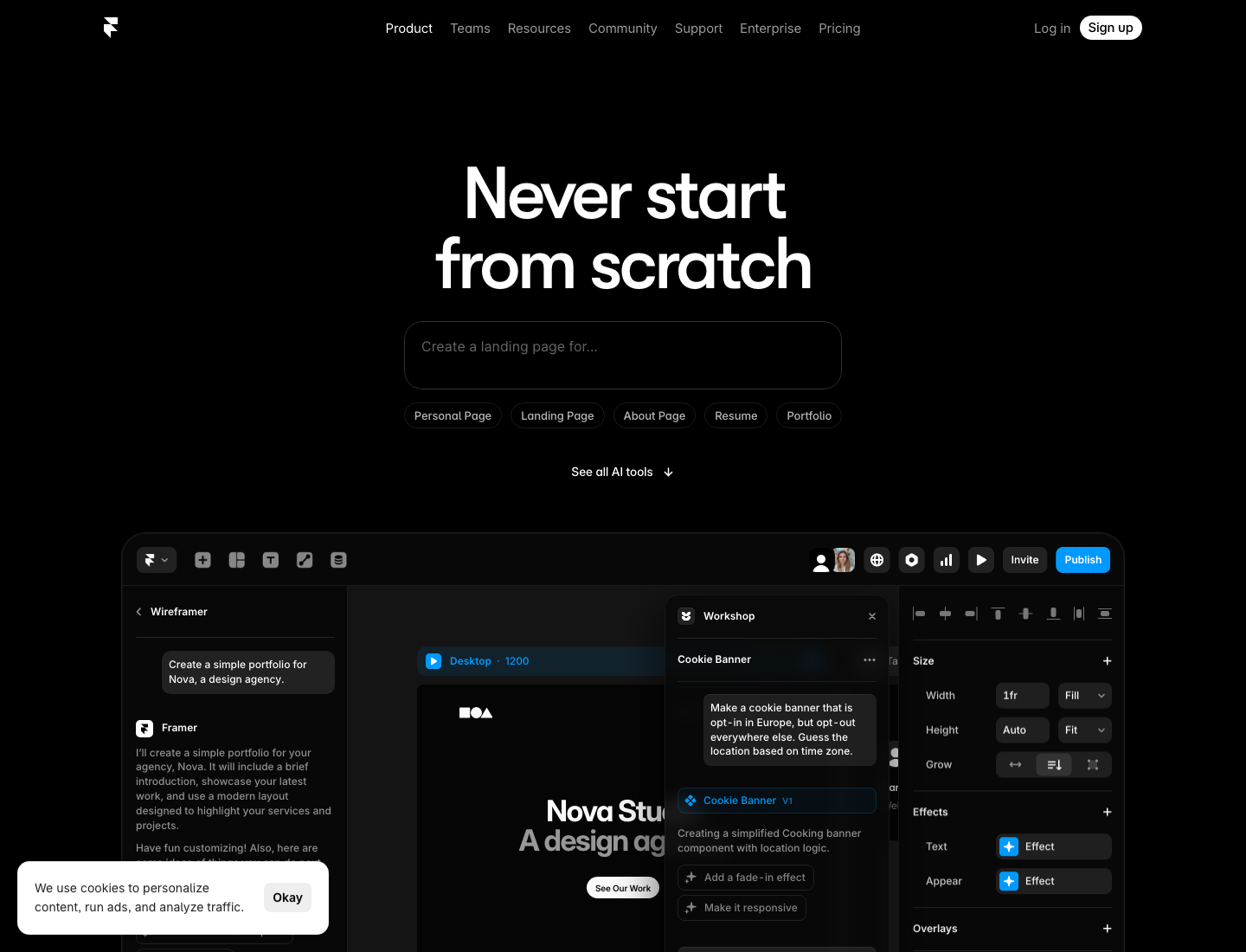
The timely hook: a "Claude & Codex for Framer beta" now lives at framer.com/llm ("Help us test an early version to design and manage your site in Framer by connecting your own LLM"), and on June 12, 2026, Framer teased a complete redesign, Framer 3.0. This review judges the AI, not the whole builder, and judges it by what real users say plus what the live pages claim today.
One honest disclosure about sources: G2 was blocked from where we checked and skews more positive on Framer than Trustpilot does, Reddit and Hacker News had no substantial Framer-AI-specific threads we could verify, so this review compiles X, Trustpilot, and the live Framer pages. We did not invent sentiment from platforms we could not load.
What do users actually say about Framer's AI?
The honest summary: builders love Wireframer and Workshop for fast, native-feeling output, and the loudest complaints are about consistency on complex asks plus billing, not the AI's look.
The praise cluster, in their own words. On Workshop: "And honestly it's kind of wild how easy it is now to just build whatever you're thinking. AI tools make it super simple to mess around, iterate quickly, and actually end up with something useful. You can literally create some genuinely SICK stuff, turn it into reusable assets, or just play around with it." (@areeshhaa, X). A builder who shipped a paid product: "Built with Workshop AI + lots of iteration inside Framer. Now live on the Framer Marketplace for $12. This is my first ever paid product on Framer Marketplace." (@abdulla_builds, X). And both tools together: "Quickly made a Audio file component using @framer Workshop; made a simple website UI using Wireframer and shared live links, with all audio files perfectly playing." (@hckmstrrahul, X).
The honest counterweight, from a balanced 2-star Trustpilot review that credits the strengths too: "The AI features are marketed prominently but performed inconsistently in my use. Requests that should have been straightforward produced outputs that didn't reflect what I'd asked for — not occasionally, but regularly enough to become unreliable as a workflow tool." And from the same reviewer: "I want to be fair about what Framer actually does well, because it does some things genuinely well. The no-code build speed is real — complex, high-performance sites can come together faster here than almost anywhere else, and the output quality is high when the workflow cooperates." (Maribeth Born, Trustpilot). (Those quotes carry Framer-user em-dashes; we keep verbatim text exactly as written.)
For context on the trust signal: Framer is rated 1.7 out of 5 on Trustpilot, with the complaint mass concentrated on billing, hidden seat charges, and cancellation friction rather than design quality (Framer on Trustpilot).
What is Wireframer good at, and where does it stop?
Wireframer is excellent at killing the blank canvas: fast, multi-page, mobile-responsive drafts with real copy. It is a starting point, not a finisher. The live feature copy is "Skip the blank canvas and spark ideas by chatting with Framer AI," and the practitioner reality is that you still add final polish, fix mobile overlaps, and refine styling by hand, the same shape as the consensus on Stitch and v0: strong first draft, human editing for production. If Stitch is the tool you are weighing, see our Google Stitch teardown for the alternatives that ship real code.
The praise is real, as @hckmstrrahul above shows ("made a simple website UI using Wireframer and shared live links"). One honest framing to keep: the output is a Framer site, not code you can lift out. If your deliverable is the marketing site itself, that is fine. If you need the UI in your own repo, that is the ceiling.
What is Workshop, and is it really "production-quality components"?
Workshop is the standout. It turns a plain-English description into a real, interactive Framer component that inherits your project's fonts and colors and exposes property controls, so it feels native. This is where Framer's AI is genuinely differentiated from prompt-to-static-mockup tools, and the @areeshhaa and @abdulla_builds quotes above are the proof: people are shipping reusable, sellable components from a description.
The honest ceiling: these are Framer components living in Framer's runtime, not React you can drop into your own repo. That is the natural reason to read our Framer alternative guide for the code-ownership argument rather than re-litigating it here.
How much does Framer cost, and what are the AI limits?
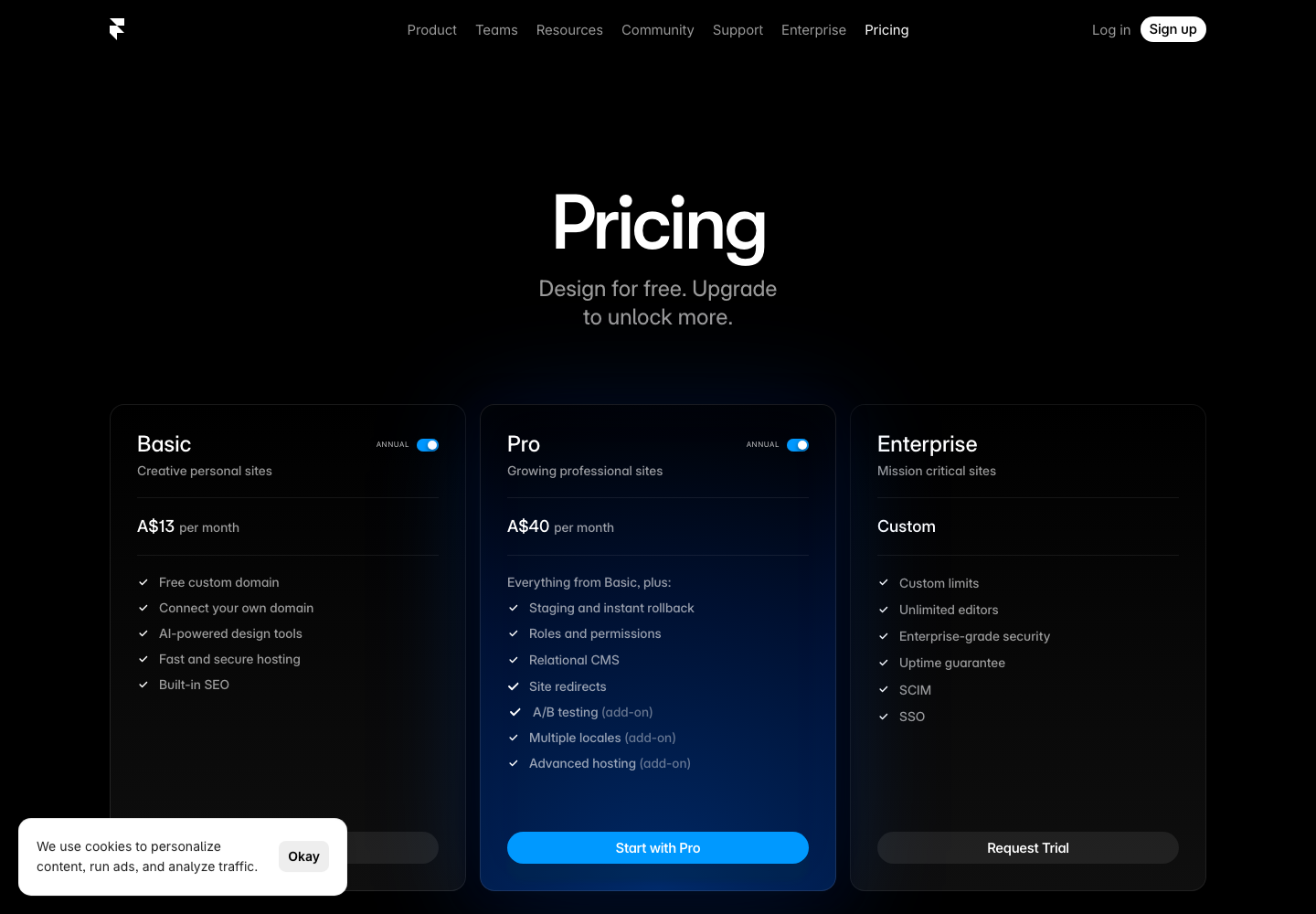
Framer has a free tier, then paid plans, with a yearly discount it frames as "Design for free. Upgrade to unlock more." On the live pricing page (captured June 14, 2026 from an Australian-localized view, so the currency symbol below is A$): Basic is A$13/month (annual), Pro is A$40/month (annual), and Enterprise is custom. Framer localizes pricing by region, so US visitors see roughly $10 Basic and $30 Pro for the same plans; treat the figures as region-dependent and check your own currency on the page.
The add-ons that bite are consistent across regions: additional editors, content editors, translation locales (a per-locale add-on), and Convert A/B testing as a metered events add-on. The model truth, stated fairly: it is a per-site subscription plus add-on stacking, and each site needs its own subscription.
The real-billing pain users report, verbatim and named: "Framer silently charged me $30 after I invited one additional user to edit my project. Nowhere during the invitation process was there any clear warning, price display, or confirmation that this would cost $30 per month. No pop-up, no mention of billing — nothing." (Anton Lisitskyi, Trustpilot). And the cancellation friction: "I've been trying to cancel my subscription with Framer for several hours now. Their support page is outdated and doesn't understand the current layout of the admin page, and their 'chat' service is completely useless." (Oliver and Amy Clague, Trustpilot). Trustpilot skews toward billing complaints, which is a vocal subset, but the seat and locale stacking is real and verifiable on the pricing page.
A note for designers comparing the AI to a free Framer plan: Wireframer and Workshop are reported to be available on Framer's Free plan, with AI Translate per-locale as the paid add-on. We could not confirm the free-plan AI inclusion in-product (it sits behind sign-in), so treat that as reported, not first-hand verified.
Who is Framer AI genuinely best for, and who should look elsewhere?
Best for: founders, designers, marketers, and freelancers shipping marketing sites, landing pages, and portfolios who want gorgeous, animated, responsive output from a prompt without an engineer. Wireframer for the page, Workshop for the custom interaction.
Look elsewhere if: you need app UI (dashboards, product screens, components) that lives in your own codebase, because Framer has no native code export and the AI's output stays inside Framer's runtime; you iterate hard enough that AI inconsistency on complex asks becomes a workflow tax; or you are managing many sites and the per-site-plus-seats billing stacks up. The wrong-fit signal, from a WordPress migrant: "Everything that is just a simple click in Wordpress is a full task in Framer. How can this be so complicated? Keep your fingers away from it." (Dominik S, Trustpilot). If you are the app-UI reader, our Framer alternative guide is the next stop.
Is Framer 3.0 about to change this review?
Be transparent: a big release is imminent. On June 12, 2026, Framer co-founder benjamin posted "We've been heads-down for a long time, working on an all-new, completely redesigned Framer. I'm very proud of how it turned out. Framer 3.0 is coming soon." (@benjaminnathan, X). Community builders report a June 16 date: "@framer 3.0 drops June 16. ... New logo already looks premium. Live reveal at 10AM PDT. 24-hour hackathon right after." (@GrowWithOmar, X). The June 16 date is community-reported; the tease itself is official.
Combined with the bring-your-own-LLM beta, one builder's prediction captures the direction: "So my prediction is Claude/Codex + Framer Canvas + Vercel + WebGl tool in one @framer 3.0 package." (@alexprokhorov, X). Framer is clearly moving from "Framer-managed AI" toward "your LLM, Framer's canvas." The code-ownership question is the one to watch, and we will re-test the AI after 3.0 ships. Interest in the AI workflow is already there: "Here is how to accelerate your design workflow using the latest @framer AI page generation and Wireframer tools" (@PratikPatil__, X), and "Generating layouts with AI (Wireframer)" (@devabraham123, X).
How does Superdesign fit alongside Framer AI?
We build Superdesign, so judge this paragraph accordingly. Framer AI and Superdesign agree design should start from a prompt. They diverge on output and home.
Framer AI builds a beautiful Framer-hosted site and Framer-runtime components, ideal when the deliverable is a marketing site. Superdesign is a design layer for app UI: it runs as a skill inside Claude Code or Cursor, explores parallel directions on an infinite canvas, can point at a live page and lift its style, and hands back real React and Tailwind you own in your repo. Where Framer's AI keeps you inside Framer, Superdesign keeps you inside your codebase.
To be explicitly fair to Framer: for marketing sites its AI is excellent and you probably should not switch. If you design in an IDE, our Cursor for design guide and the free prompt library are the better fit, and app-UI readers should see the Framer alternative guide.
The verdict: is Framer AI worth it in 2026?
For marketing sites, yes. Wireframer kills the blank canvas and Workshop ships genuinely native-feeling components from plain English, and users keep confirming both. Know the asterisks before you commit: the output is a Framer-hosted site you cannot export as code, the AI can be inconsistent on complex asks, and the billing model stacks seats and locales in ways that have surprised users into 1-star reviews. And a big unknown lands on June 16: Framer 3.0 and a bring-your-own-LLM direction that could move the code-ownership answer. If your deliverable is the site, Framer's AI earns its place. If it is app UI in your repo, that is a different category.