If you're searching for a Framer alternative and you're a developer, you're probably asking the wrong question. The real one is: are you building a marketing site, or are you shipping app UI? Framer is one of the best visual builders in the world for landing pages, portfolios, and marketing sites. The moment you need dashboards, product screens, or components that live in your real codebase, Framer is the wrong category, mostly because it can't export code you own and has no idea your codebase exists.
So this page splits the audience honestly. If you build marketing sites, you'll find the strongest Framer-style builders below, and an honest note on when you shouldn't switch at all. If you're a developer shipping product UI, you'll find why Framer was never built for you and what to use instead: an AI design agent that can point itself at any live page, extract its styles, colors, and components, and hand you that look as real React and Tailwind on your own product. That last part is the trick Framer can't do. Framer designs a brand-new hosted site for you. Superdesign can take a site you already love and rebuild its style as code you own.

What is the best Framer alternative in 2026?
It depends entirely on what you're building. For marketing sites and portfolios that need a CMS and hosting, Webflow is the closest like-for-like alternative with more design control. For developers shipping app UI, dashboards, and components into a real codebase, the best alternative isn't a site builder at all: it's Superdesign, an AI design agent that outputs real React and Tailwind you own and runs inside your coding agent.
The reason no single "best" answer exists is that the Framer-alternative SERP quietly mixes two different jobs. Webflow, Wix, Squarespace, and WordPress are all website builders, same job as Framer, different trade-offs. None of them solve the developer's actual problem, which is producing app UI as code that fits an existing project. That gap is the whole point of this page.
Why do developers outgrow Framer?
Developers outgrow Framer for two structural reasons, not because the design tools are bad. First, Framer has no native code export by design, so your site needs Framer's React runtime to render and you're effectively renting hosting forever. Second, Framer is a separate browser canvas with zero awareness of your existing codebase or design system. Both are fine for a marketing site. Both are dealbreakers for app UI.
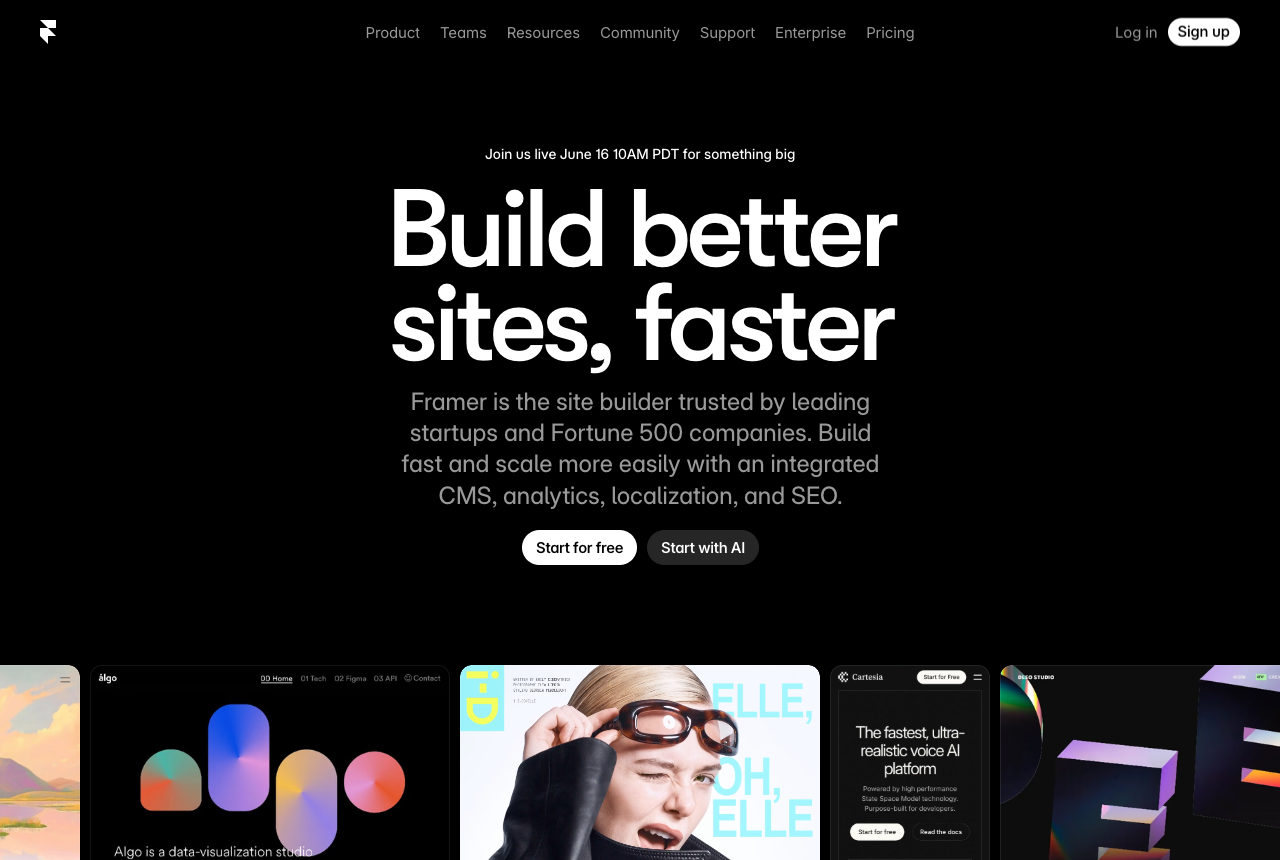
The code-ownership one is the big one, and most "alternative" lists bury it. You cannot download a Framer site as standalone HTML, CSS, and JS, because the site is rendered by Framer's React runtime. One founder built a third-party export button precisely because "Framer doesn't let you export your own website's code", and a no-code export guide confirms Framer has no native code export button, since sites require its React runtime to render. Workarounds exist, but they lose React fidelity or rely on unofficial converters. Whether you read that as a deliberate moat or just a technical reality, the practical effect is the same: the code never fully becomes yours.
The second reason is workflow. Framer is a place you context-switch into, starting from a blank canvas with no knowledge of the components, tokens, or conventions you've already shipped, so anything you design has to be hand-translated into your real app. That "reads your existing codebase instead of a blank canvas" argument is the core case for code-first tools, and we make it in full in our best AI UI generator guide. The Framer-specific twist is below: the fix isn't just starting from your repo, it's pointing the agent at a live site and lifting its style straight into your product.
Point it at a live site and get the style as code (the thing Framer can't do)
Here's the move that makes Superdesign the developer answer to Framer specifically. Framer's whole job is to build you a new hosted site from scratch. Superdesign goes the other direction: point the context-aware agent at any live page you admire (a competitor's dashboard, a marketing site whose typography you love, your own production app), and it extracts the styles, colors, and components and rebuilds that look as real React and Tailwind on your actual product. You're not re-skinning a Framer canvas you'll rent forever. You're capturing a style and shipping it as code you own.
That matters because "designing on reality beats designing on mockups." Most agents start from zero context of your real product, like onboarding a brand-new designer every single time. When Superdesign can read both a reference site and your existing repo, the output already fits, no hand-translation step, no Framer-runtime middleman.
Two more Framer-shaped wins fall out of the same canvas:
- See ~10 wireframe ideas in seconds, cheaply. Flash Wireframe (on Gemini 3 Flash) sketches roughly ten layout directions in seconds so you can pick before you commit, then you spend the expensive model only on the ones you keep. Framer makes you build each idea by hand in its editor; here you visualize breadth first and implement narrow.
- Compare versions side by side on an infinite canvas. Design, wireframe, and remix variations next to each other and ship the winner as React and Tailwind, instead of toggling between Framer pages with no real compare surface and no code out.
Can you export code from Framer?
No, not as standalone code you own. Framer sites require Framer's React runtime to render, so there is no official "download my site as HTML/CSS/JS" button. You can copy individual styles or use third-party converters, but you can't lift a full Framer site out into your own repo and host it anywhere. A no-code export guide spells this out: there's no native "Export Code" feature like Webflow has, and the unofficial workarounds lose fidelity (Framer Motion springs get approximated with CSS, code components lose their React interactivity).
This is the single most important line on the whole page, because it's the difference between a tool you rent and a tool that gives you an asset. If you ever want to leave Framer, move hosting, hand the project to an engineering team, or drop a section into an existing app, the absence of code export is what stops you. For a marketing site that rarely changes, that may be a fine trade. For app UI, it's a non-starter.
Is Framer good for building a web app, or just marketing sites?
Framer is built for marketing sites, landing pages, and portfolios, not web applications. It's a content-site builder, so things like a real backend, user accounts, and arbitrary app logic aren't what it's for. A roundup of Framer alternatives makes the same point from the other side: Framer is great for quick, motion-heavy sites, but "the problem starts when projects grow" and teams need stronger content management, multi-client support, or real ecommerce. Scaling past a content site is where teams hit the wall and start looking for alternatives.
To be fair to Framer, this isn't a flaw, it's a focus. Framer is excellent at the thing it's for: beautiful, animated, content-driven sites you can ship without an engineer, which is exactly what its G2 reviews reflect. It just isn't an app-building tool, and treating it like one is how you end up frustrated.
What does Framer actually cost once you add everything?
Framer's headline price is reasonable, but the real cost is add-on stacking, and that's the part the pricing page doesn't lead with. Per a 2026 pricing teardown, localization runs roughly $40 per locale per month (a four-language site adds about $120/mo on top), editor seats are billed per seat, and CMS items and bandwidth are hard-capped so growth forces tier jumps. That same teardown calls the CMS cap "the single biggest pricing trap on Framer in 2026."
There's real community heat here too. The teardown points to a "Framer just betrayed its users" post that hit 335 upvotes and an account-suspension thread at 211 upvotes, with a recurring theme of resenting ongoing hosting fees for a finished site that rarely changes. To be fair, none of these numbers are outrageous on their own, and Framer is a polished product. The structural issue isn't any single line item, it's the model: with Framer you rent hosting forever, and the bill grows with locales, seats, and content.
Framer vs Webflow vs Superdesign: the axes that actually matter
Most comparison tables stack website-builder tiers against each other. Here's a table on the axes the SERP ignores: do you get code you own, does the tool know your codebase, does it live in your IDE, and what's it actually for.
| Framer | Webflow | Superdesign | |
|---|---|---|---|
| Primary job | Marketing sites, portfolios | Marketing sites, CMS | App UI, components, product screens |
| Code you own | No native export (runtime lock-in) | Exports HTML/CSS/JS (static) | Real React + Tailwind in your repo |
| Reads your codebase | No | No | Yes (design-system file + page replicas) |
| IDE-native | No, separate browser canvas | No, separate browser canvas | Yes, runs in Claude Code / Cursor |
| Backend / app logic | No | Limited (CMS only) | N/A (design layer, you build) |
| Pricing model | Per-site subscription + add-ons | Per-site subscription + add-ons | Free tier + flat $20/mo Pro |
The honest read: Webflow is the better swap if you're staying in the website-builder world and want more design control and real static code export. Superdesign is the right answer if your output is app UI that needs to live in a codebase you control. They aren't competing for the same job.
What's the best Framer alternative for developers?
For developers, the best Framer alternative is Superdesign, because it solves the two things Framer structurally can't: it gives you real code you own, and it reads your existing codebase. Superdesign is an AI design agent that generates UI from natural-language prompts on an infinite canvas and outputs production React, Tailwind, and CSS, not a hosted site you rent forever.
The bigger difference is where it runs. Superdesign works as a skill inside your coding agent (Claude Code, Cursor, or any agent), so you design without leaving your repo. Point it at an existing project and it investigates your current UI first, writing a design-system file plus HTML replicas of your real pages so new work builds on what you already shipped, not a blank Framer canvas. We cover how that design-system file works in what is DESIGN.md; the short version is it gives the agent the context Framer's separate browser canvas never had.
In practice the loop looks like this:
- It learns your project first. On an existing codebase it reads your current UI and builds a design-system file plus HTML replicas of your real pages, so output matches what you've already built.
- It explores variations on the canvas. The agent opens the Superdesign canvas and generates several directions at once, and you keep prompting to refine the one you like.
- It designs whole multi-page flows, and the result is clickable and functional, not a static mockup.
- It hands back to code cleanly. Select a page and hit "Copy design prompt" to paste full context into your coding agent, or ask the agent to fetch the design and plan the implementation. The code is yours, no runtime lock-in.
You can drive the whole thing with one slash command after a one-time install:
npm install -g @superdesign/cli@latest
superdesign login
npx skills add superdesigndev/superdesign-skill
Then trigger it with /superdesign and a plain-English request like "design a settings dashboard that matches our app." Pricing is a free tier plus a flat $20/month Pro plan, predictable on purpose, versus Framer's per-site subscription that grows with seats, locales, and CMS caps. If you want the full walkthrough, our best AI UI generator guide ranks it against the other code-first tools, and Cursor for design covers the IDE-native workflow in depth.
Should you switch away from Framer if you only build marketing sites?
Honestly, probably not. If your job is marketing sites, landing pages, and portfolios, Framer is genuinely one of the best tools out there, with gorgeous animation, a solid CMS, built-in hosting, and strong SEO tooling. The code-export and codebase-awareness limitations only bite when you need app UI in a real repo. If that's not you, the friction of switching likely outweighs the benefit.
Where it makes sense to look elsewhere even for a marketing site: you want to own static code you can host anywhere (Webflow exports it, Framer doesn't), you're stacking enough add-ons that the bill is getting silly, or you're managing many client sites and want bundles Framer doesn't offer. Otherwise, stay put. The point of this page isn't "leave Framer," it's "use the right tool for the job you actually have."
How do you choose the right Framer alternative?
Start by naming what you're building, because that single answer routes you to the right tool.
You're building a marketing site or portfolio
Stay on Framer, or move to Webflow if you want real static code export and more design control. Both are built for content sites with a CMS and hosting. This is the website-builder lane, and Framer is excellent in it.
You're shipping app UI into a real codebase
Use Superdesign. It outputs React and Tailwind you own, reads your existing design system, and runs inside your coding agent so you never leave the repo. This is the one job Framer was never designed for. If you want to see how it stacks up against the code-first crowd, see v0 vs Superdesign, Lovable vs Superdesign, and Bolt vs Superdesign.
You design in Figma and need a code path
That's a different comparison. See our Figma alternative for developers, which covers going from design straight to code without a handoff step.
You can also browse the Superdesign prompt library to see the kinds of UI it generates from a single prompt, dashboards, components, and full flows, the app-UI work Framer's canvas was never built to produce.
The short version
If you're building a marketing site, Framer is great and you probably don't need an alternative. If you do want one in that lane, Webflow gives you real static code export. But if you're a developer shipping app UI, dashboards, product screens, components that live in your codebase, Framer is simply the wrong category: no code export by design, no awareness of your repo, and a subscription you rent forever. Superdesign is the developer-native answer: real React and Tailwind you own, codebase-aware, running right inside your coding agent, on a flat plan. Pick the tool that matches the job, not the listicle.