This page is about applying the brutalism recipe to a ecommerce. The full CSS recipe (the exact tokens, fallbacks and gotchas) lives on the Brutalism pillar page; here we focus on what changes when the build type is a ecommerce, then hand you a prompt tuned for it.
Generate a brutalism ecommerce
Generate it on Superdesign
This prompt is tuned to the exact tokens in the recipe above. Copy it, paste it into the prompt box, and you get a full UI in this style on an infinite canvas. Free to start.
Design a neo-brutalist ecommerce storefront for a high-fashion label called Season 04. Massive editorial typography, a flat off-white or paper base, raw noise texture, and a technical-utilitarian grid. High-contrast grayscale product photography in hard-bordered tiles, neon acid-green micro-interactions on hover and add-to-cart, and monospace metadata for price, size and SKU. Build a product grid with square-cornered cards, a sticky bordered cart bar, a product detail layout with a big type break, and a checkout summary. Hard 2px to 3px ink borders, offset block shadows, zero rounded corners, no soft gradients. Keep prices and CTAs unmissable with the accent and heavy type.
Copies the prompt and opens Superdesign in a new tab.
Using the Superdesign skill from Claude Code or Cursor?
Paste this tuned style prompt into your coding agent. It carries the same tokens as the recipe, so what the agent builds matches what this page teaches.
Build a neo-brutalist ecommerce UI with these tokens:
- Base: flat off-white / paper with subtle noise texture; black ink #0a0a0a; one
  neon accent (acid-green) for hover + add-to-cart micro-interactions
- Product cards: square corners, 2-3px solid #000 border, hard offset shadow;
  grayscale product photos with a hard border, mono SKU/size/price metadata
- Massive type breaks between sections (editorial brutalism); Archivo-style heavy
  display + a monospace for product data
- Cart: sticky bordered bar; checkout = itemized summary in a bordered block with
  a chunky primary "pay" button (black text on accent)
- No rounded cards, no soft shadows, no gradients; depth via offset blocks only
- Keep price + CTA the highest-contrast elements on every product view

/* via superdesign.dev/styles/brutalism/ecommerce */
Brutalism ecommerce examples
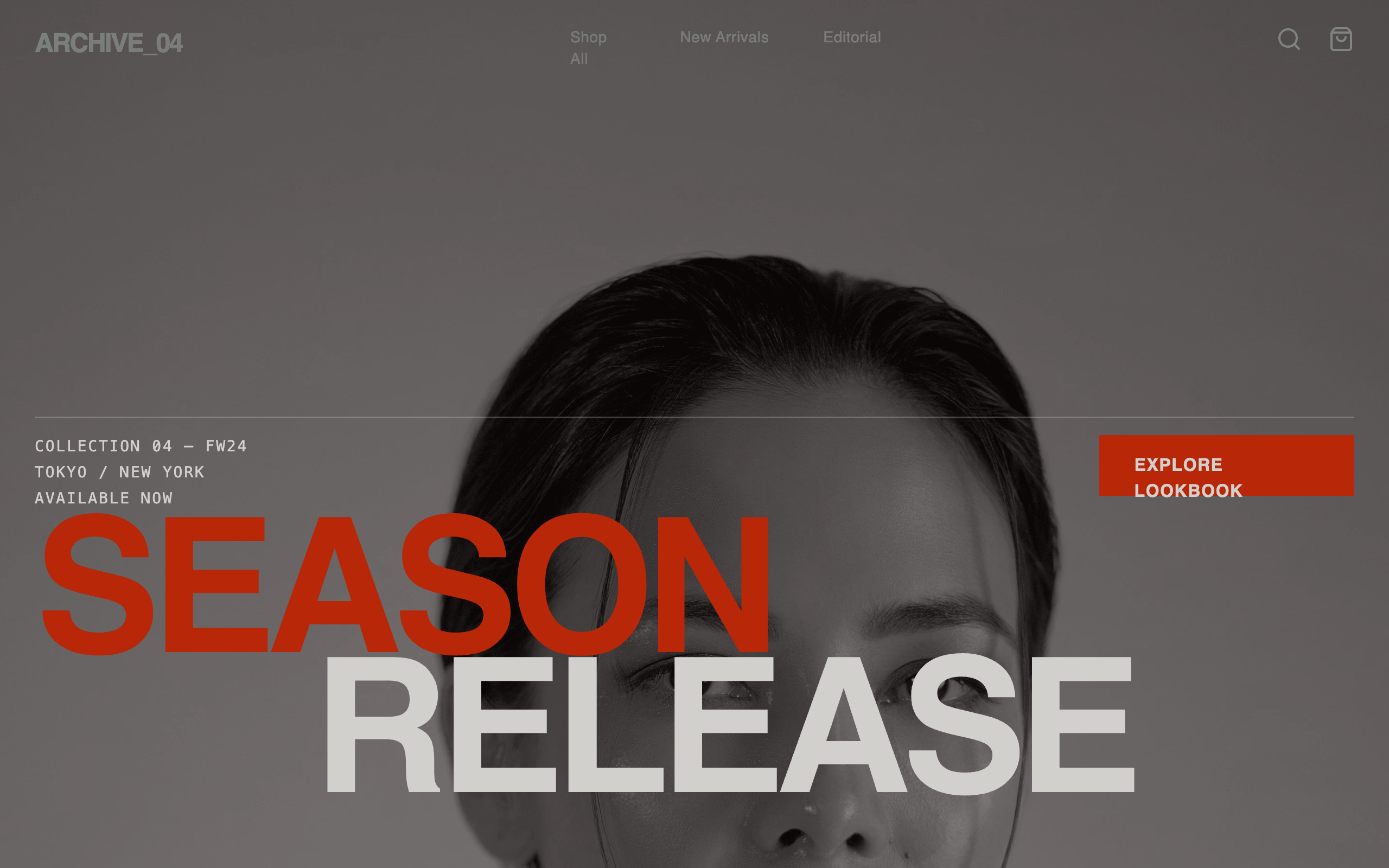
Brutalist Style Ecommerce Page (Season 04)Superdesign library
High-fashion brutalism: massive typography and grayscale imagery, with acid-green only on the interactions that drive the sale.

Brutalist E-commerce Page (Raw Form)Superdesign library
Swiss-brutalist hybrid: massive type breaks plus a sharp grid hierarchy that keeps a busy catalog scannable.
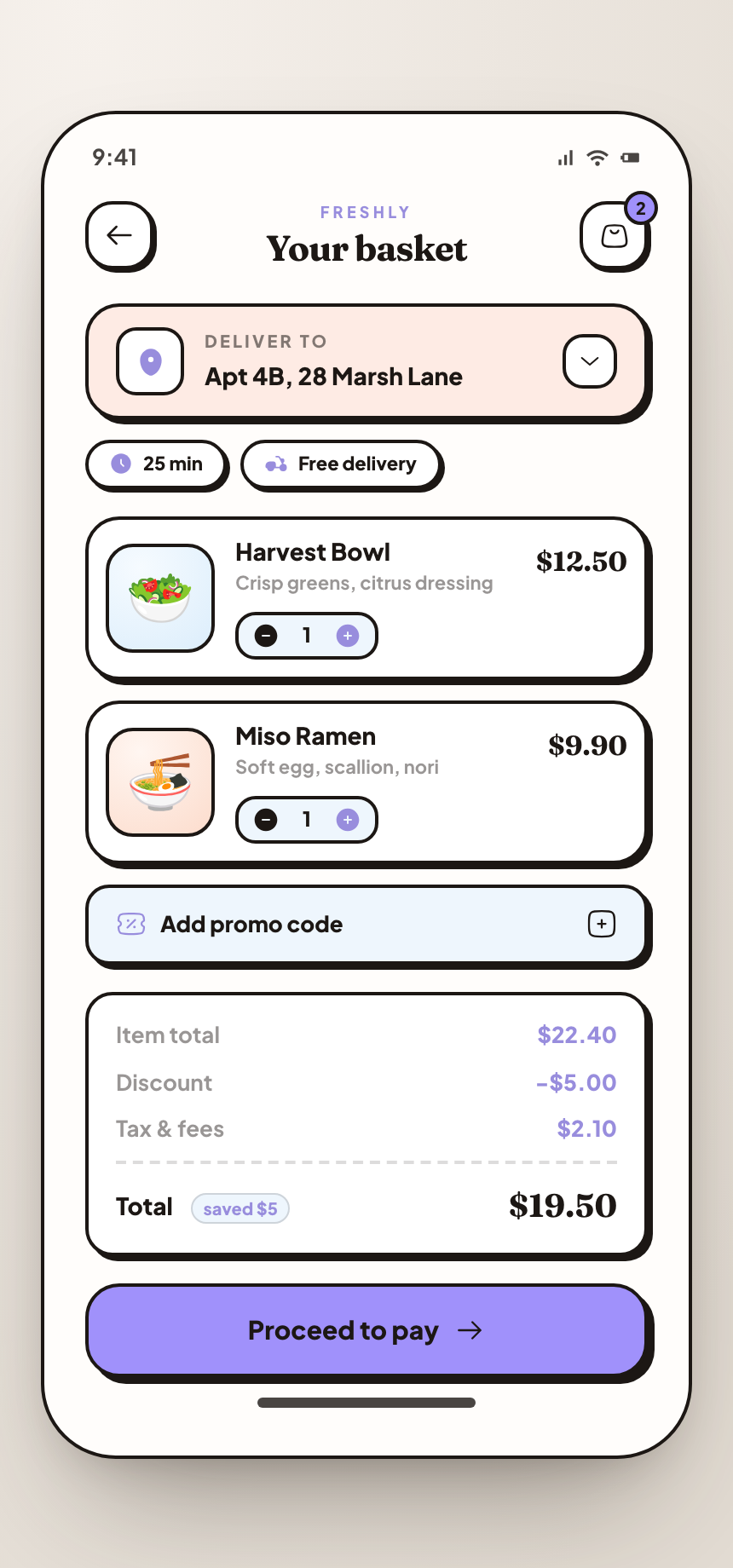
Neo-Brutalist Food Delivery CheckoutSuperdesign library
The checkout end of the funnel: line-item cards, quantity steppers and an itemized summary, all in thick ink outlines on mobile.
Frequently asked questions
Can a brutalist ecommerce site actually convert shoppers?
How do you keep a brutalist product grid scannable?
Keep exploring
Brutalism: the full recipe →
The website with its structure exposed: mono fonts, default-blue links, hard black borders, zero decoration.
Brutalism website →
The same style applied to a website.
Brutalism ui components →
The same style applied to a ui components.
Brutalism pricing page →
The same style applied to a pricing page.
Brutalism login page →
The same style applied to a login page.
Browse every style in the design styles encyclopedia.