A portfolio website generator turns a prompt into a full personal site, a positioning hero, selected case studies, an about section, and a contact CTA, in minutes instead of a weekend. The catch is that most of them hand you a hosted template tied to their platform, the same one a recruiter has already seen a hundred times. If you are a developer or designer, the useful endpoint is a portfolio that stands out AND ships as real React and Tailwind you own and deploy anywhere. This guide covers what a strong portfolio actually needs, the prompt patterns that produce it, and how to walk away with the code.

Build a portfolio in the right order
The tool loop is the same for any site: prompt, compare a few directions, take the code. (Here is how that loop works.) What makes a portfolio land is the order you build it in, and the one rule that matters at each step:
Build a portfolio in the right order
Write the positioning line first
One sentence: who you are and what you are great at. Everything else hangs off it, and "passionate developer who loves building things" is not it.
Pick 3 to 5 projects, then cut
Fewer, deeper case studies beat a project dump. Give each one the problem, your specific role, and a measurable outcome, not just a screenshot.
Make the site itself the work sample
One accent color, real type, and restraint. A hiring manager reads your taste from the page before they read a single word of copy.
Put contact one click away
A clear call to action reachable from any section. The callback dies if someone has to hunt for how to reach you.
What a standout portfolio needs
A portfolio works when a visitor understands who you are and what you are great at within a few seconds, then trusts it because the work backs it up. The bar is a portfolio with an actual point of view: a confident name-as-headline, one accent color, and a single clear call to action, the opposite of the indigo-gradient, emoji-avatar, "passionate developer" template a vague prompt returns.
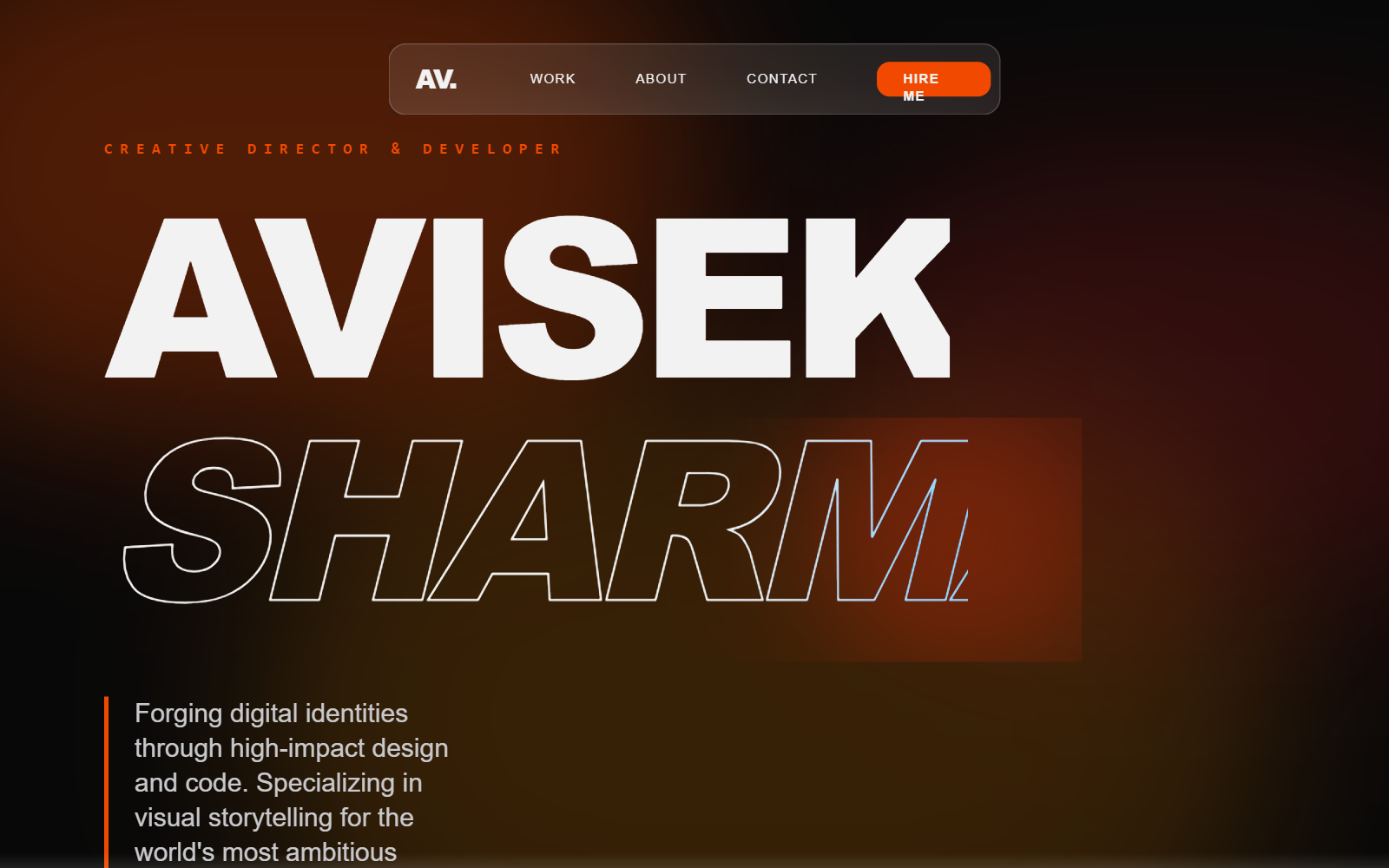
What separates the two is not the gradient, it is the substance. Hiring managers are consistent about this: three to five finished, deployed projects beat ten half-finished ones, and writing quality is a real signal. In one analysis, nine of twelve hiring managers said the writing in your READMEs, case studies, and project descriptions was something they read and weighed (popout.page). Use this as the checklist to grade whatever the generator gives you back.
Your portfolio checklist
- ✓A positioning hero that names who you are and the role you want, not 'passionate developer'
- ✓Three to five featured projects, not a dump of everything you have touched
- ✓A real case study per project: the problem, your decisions, the trade-offs, the outcome
- ✓Live demo links and a clean GitHub repo, not just static screenshots
- ✓One accent color and a readable type hierarchy, personality over decoration
- ✓Motion used with restraint, a couple of tasteful transitions, not a carousel of effects
- ✓A contact CTA that is easy to find from any section
- ✓Fast load and a mobile-first layout, since recruiters browse on phones
Verbatim from popout.page hiring-manager interviews; Hyperskill
Selective work beats a work dump
The single most common portfolio mistake is volume. Ten half-finished projects signal "cannot finish things," while three to five complete, deployed projects with a real write-up signal exactly the reliability a hiring manager is looking for (studentperks.dev). A polished site that links to tutorial clones is worse than no site, because it sets an expectation the work does not meet (Hyperskill).
So the structure that converts is curation plus depth, not a grid of everything.
| Approach | What it signals | Verdict |
|---|---|---|
| A dump of 12+ projects | "Cannot tell what is good" | Recruiters skim and bounce |
| 3 to 5 featured, each with a case study | "Knows what is good, can explain it" | The sweet spot |
| One huge over-engineered passion project | "Cannot ship" if it is unfinished | Only if it is actually done |
For each featured project, write a short case study: the problem you solved, the architectural decision you made and why, the trade-off you accepted, and what you would change next time. That last part, the self-critique, is the bit that proves you can evaluate your own work, which is a core professional skill (Hyperskill). Tell the generator to build a case-study layout, not just a thumbnail grid.
Prompt patterns that produce it
The quality of the output tracks the quality of the prompt: a one-liner gives you the generic template on the left above, while a prompt that names your positioning, the projects, the sections, and the tone gives you something with a point of view. Here is a copyable starting prompt that bakes the checklist into the request.
Design a portfolio website for [name], a [role, e.g. "full-stack developer who builds developer tools"].

Positioning: [the one thing you want to be known for].
Audience: [who you want to hire you, e.g. "early-stage startup founders"].
Tone: [confident and editorial / warm and playful / minimal and technical]. Not "passionate developer" generic.

Sections, in order:
1. Hero: a headline that states your positioning (not "Hi, I'm X"), a one-line subhead, and ONE primary CTA ("See my work" or "Get in touch").
2. Featured work: 3 case-study cards, each with a real project name, a one-line problem statement, the stack, and a result. No tutorial clones.
3. A short about section with a real voice, plus your current focus.
4. Contact: an email and links, reachable from the nav.

Style: one accent color used sparingly, a strong type hierarchy, generous whitespace, tasteful motion only on scroll-in. Avoid the default indigo-to-violet gradient, an emoji avatar, and a wall of tech-stack badges.
For a deeper library of portfolio prompts and styles, raid the free prompt library and adapt one to your positioning. It works with any coding agent and saves you guessing at the wording.
Real portfolio examples
The strongest proof is the output itself. These are real portfolios generated from the Superdesign prompt library, each with a distinct point of view, the opposite of the one template everyone ships.
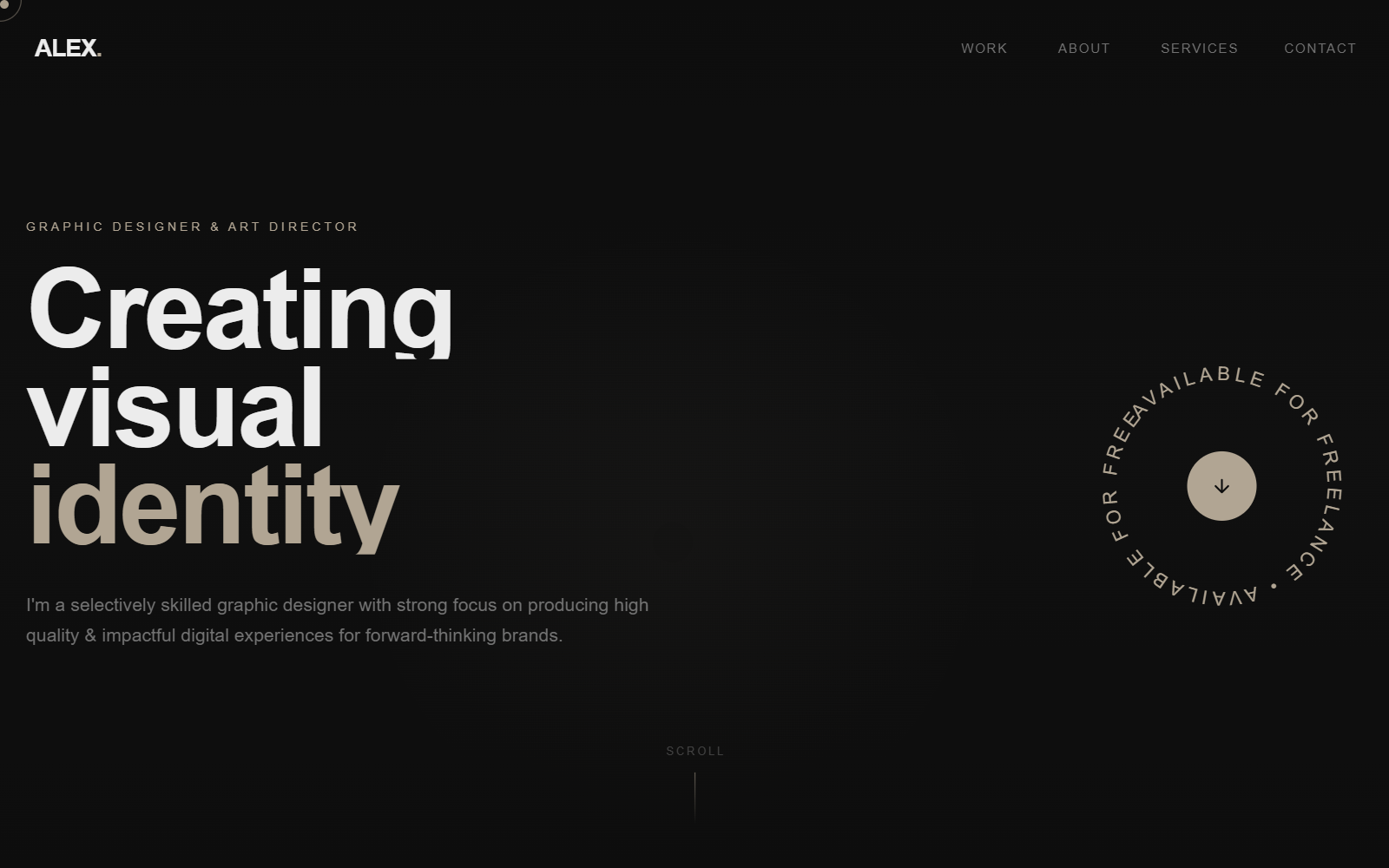
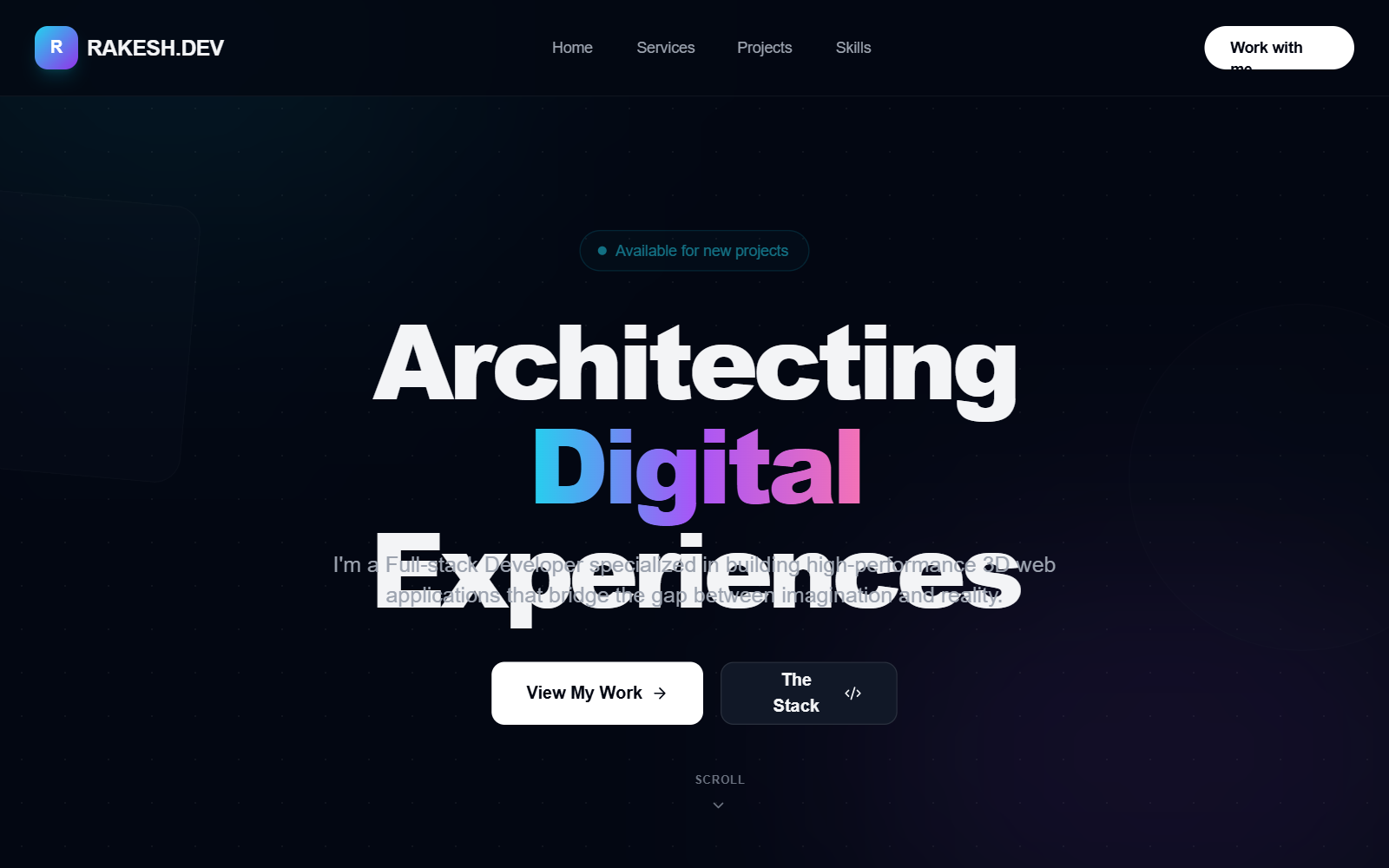
Iterate, do not settle for the first draft
The first generation is a draft, not the answer, so the real win is exploring directions fast and refining the one that fits. Most tools make you re-roll one variation at a time. Superdesign forks several directions in parallel on an infinite canvas, so you can compare a few hero treatments or case-study layouts side by side and carry the best one forward, instead of committing too early. Then you keep prompting in plain English to tighten it.
Take the current hero and give me 3 variations:
1. A bolder, name-as-headline treatment in the style of an editorial cover.
2. A version that leads with my best project as a full-bleed case study.
3. A quieter, monochrome version with one accent and more whitespace.

Keep the same type scale and accent. Make all 3 mobile-first with tasteful scroll-in motion only.Get real React you own, not a hosted template
Here is the difference that matters once you actually want to ship: most portfolio generators stop at a hosted site tied to their platform, while a code-output design agent hands you real React and Tailwind you drop into your repo. Framer is genuinely strong for designer portfolios and animation, but its sites are tied to Framer's hosting and CMS infrastructure (Fabricate). Resume-to-site tools like Butternut AI generate a structured one-pager fast, but you do not get the code. That is fine for a quick microsite, and a dead end the moment you want to deploy to your own domain, add a custom interaction, or keep editing in your stack.
| Tool type | What you get | Best for |
|---|---|---|
| Hosted site builders (Framer, Wix) | A hosted portfolio tied to their platform | Designers who want a visual editor and never need the code |
| Resume-to-site tools (Butternut AI) | A structured one-pager, no code export | A fast first portfolio from a resume |
| Code-output design agents (Superdesign, v0) | Real React and Tailwind you own | Developers and designers who want to deploy and keep editing |
Superdesign sits in the third row. It is an AI design agent that outputs production React and Tailwind, runs in the browser or as a skill inside Claude Code and Cursor, and when you point it at an existing project it reads your current UI first, so a new portfolio speaks your tokens, spacing, and components instead of arriving as a stranger template. You generate the site, compare variations on the canvas, then have your coding agent fetch the design and implement it. No handoff, no platform lock-in.
For the wider landscape of how the AI generators compare on output quality, pricing, and codebase fit, see the pillar guide on the best AI UI generator. It maps where each tool fits; this page is about the moves that get you a portfolio worth sharing. A portfolio is a kind of personal landing page, so the best AI landing page generator guide is a useful companion on the hero and CTA patterns.
Common portfolio mistakes
The most expensive errors are about substance and positioning, not pixels. The recurring ones reviewers and hiring managers flag: a "Hi, I'm a passionate developer" tagline that says nothing, a dump of ten projects instead of three strong ones, tutorial clones with no architectural depth, static screenshots where a live link should be, a wall of thirty tech badges that reads as exaggeration, and broken demo links, which are an instant red flag (studentperks.dev). Recruiters also see the same starter templates hundreds of times, so customize anything you start from (studentperks.dev).
AI will not save you from weak positioning. If you ask for "a modern portfolio" you get the statistical average of every portfolio the model has seen. Name who you are, the projects, and the outcomes, then let the tool handle the layout.
Ship your portfolio site
You can have a real, standout portfolio in under an hour: start with a prompt that names your positioning and your best three projects, grade the result against the checklist above, fork a couple of hero directions on a canvas, then export real React and Tailwind into your repo and deploy it to your own domain. The whole point is to skip the hosted-template trap and end with a site you own and can keep optimizing as your work grows.
Start in the browser with the AI UI generator, or if you live in Claude Code or Cursor, add the Superdesign skill and drive it from your agent. For the full tool landscape, the best AI UI generator pillar lays out where each option fits. Ping me anytime if you want a second set of eyes on your hero, and we'll sort it together. 🙂











